Crypto payments for hosting providers that bill in several currencies
If your hosting business runs on HostBill, a new payment method has to fit into operations you already have: finance wants clean transaction records, support wants a log to check when a client says "I paid", and management does not want a new percentage fee on every renewal.
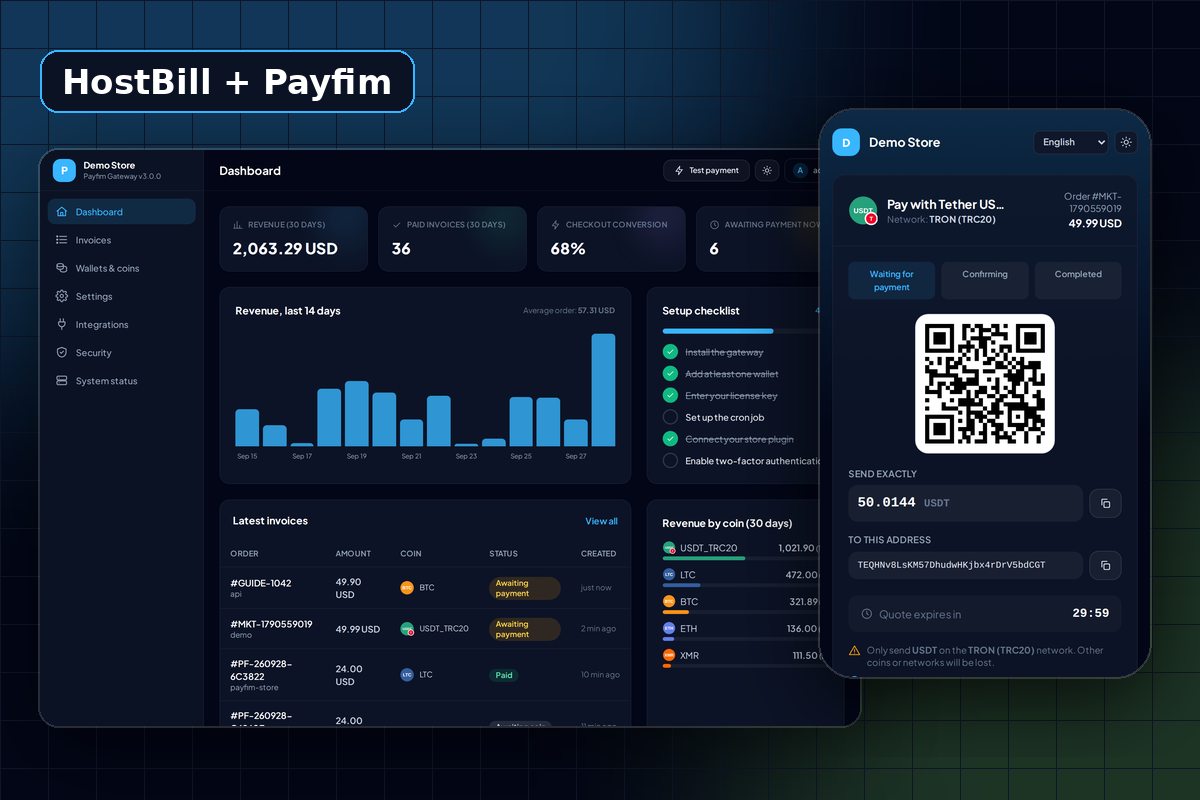
The Payfim module is a standard class-based HostBill payment module. It connects HostBill to your own Payfim Gateway, which watches the blockchain and pays nothing out on your behalf - coins arrive in wallets you control. There is no processor contract, no rolling reserve and no fee on recurring revenue. You pay once for the license.
Invoice currency handling
Each crypto invoice is priced in the currency of the HostBill invoice, not in a fixed default. If a client in Germany gets a EUR invoice for 49.90, the Payfim checkout asks for the crypto equivalent of 49.90 EUR at the live rate (CoinGecko, with Coinbase and Binance as fallbacks) when they pick a coin. The quote is locked for 30 minutes by default.
There is also a safety check in the other direction. When the payment notification arrives, the module compares the currency of the paid Payfim invoice with the HostBill invoice. If they differ - for example because the invoice was edited to another currency after the client opened the checkout - the payment is written to the gateway log and not recorded, so a EUR amount can never be booked as USD.
This check only applies at the moment of payment; your HostBill currencies, exchange rates and invoice templates stay exactly as they are.
Before going live, we recommend paying one small test invoice in each currency you bill in and checking the amount on the Payfim checkout matches.
From the Pay button to a paid HostBill invoice
- The client opens an unpaid invoice. The module creates a Payfim invoice server-to-server from the HostBill invoice total, so the amount cannot be changed in the browser.
- The client clicks the pay button, chooses a coin and sends the payment. If they come back later, the same Payfim invoice is re-used.
- Once the payment has the confirmations you chose, your gateway calls the module's callback (
?cmd=callback&module=payfim) with an HMAC-SHA256 signed webhook. - The module verifies the signature and its age, re-reads the invoice from your gateway, compares the amount with the HostBill invoice balance, and adds a transaction whose ID is the blockchain transaction hash.
- HostBill marks the invoice Paid, the same way it does for payments from any other module. The client is returned to the invoice page.
If the gateway sends the same notification again, the module sees that the transaction ID already exists and records nothing new.
Designed for your operations team
Payfim callbacks are written to HostBill's Logs → Gateway Log. That gives support staff one place to look:
- Paid: the transaction, amount and hash.
- Underpaid: a failure entry reading "Only X of Y received". No transaction is added and the invoice stays Unpaid, because HostBill has no partial "on hold" state a payment module can use. You decide whether to request the difference or refund from your wallet.
- Configuration problems: if HostBill cannot reach your gateway, clients see "Crypto payment is temporarily unavailable" instead of an error page, and the reason is logged.
On the Payfim side, the gateway admin shows each invoice, its webhook deliveries and their HTTP status. Failed deliveries are retried automatically for 24 hours.
Why not use a hosted crypto processor with HostBill?
Hosted processors do some things Payfim does not: they can convert crypto to fiat and pay out to a bank account. If you need automatic fiat settlement, that is a real reason to use one. The trade-off is that the processor holds the funds first, charges a fee on each payment, and can suspend your account - a risk hosting companies know well.
With Payfim you keep the coins, or convert them yourself on an exchange of your choice. Our comparison of self-hosted vs hosted crypto gateways walks through both models, and tax treatment of crypto income varies by country, so check with a qualified accountant.
Late, double and early payments
Clients do not always pay the way the checkout expects. Here is how each case plays out with HostBill:
- Paid after the quote expired. The exchange rate is locked for 30 minutes by default, and a payment sent right at the deadline is still picked up during a short grace period. Coins sent later still reach your wallet; check the transaction and mark the invoice paid manually in the Payfim Gateway admin if you accept it.
- Paid twice. Each blockchain transaction can only pay one invoice. If a client sends a second payment for an invoice that is already paid, the second transfer is not matched to any invoice and is never booked against the HostBill invoice a second time; it arrives in your wallet, where you can spot it and refund or credit it.
- Several open invoices with the same total. Each open Payfim invoice gets a slightly different amount (a tiny extra fraction, a few cents at most by default), and XRP invoices get their own destination tag, so payments are matched to the right invoice.
- Paid from an exchange. Exchange withdrawals sometimes deduct a fee from the amount sent. A shortfall within the 0.5% default tolerance is accepted; anything larger is logged as underpaid.
Requirements
| HostBill | Current releases (class-based payment modules) |
|---|---|
| PHP | 7.4 - 8.4 (as supported by your HostBill version) |
| Module path | includes/modules/Payment/payfim/ |
| Currencies | Any HostBill invoice currency Payfim can price |
| Gateway | Payfim Gateway 3.0+ (included in your download) |
| Network | HTTPS, HostBill reachable from the gateway server |
How to install the HostBill crypto payment module
- Install the Payfim gateway. Set up the gateway on your server and add your wallet addresses - see installing the Payfim gateway and setting up the cron job.
- Upload the module. Unzip
payfim-hostbill.zipand upload the contents ofupload/to your HostBill root. This createsincludes/modules/Payment/payfim/class.payfim.php. - Activate it. Go to Settings → Modules → Payment Modules, click Activate modules, select Payfim Crypto Payments and click Activate.
- Connect. Enter your Payfim Gateway URL and the API key from Payfim dashboard → Integrations, adjust the button text if you like, enable the currencies you accept and save.
- Test. HostBill payment modules have no test-connection button, so pay a small invoice for a test client from the client area and check Logs → Gateway Log. See the HostBill docs.