Crypto giving without handing funds to a third party
Some supporters would rather give from their crypto holdings than from a bank card. Hosted donation platforms can accept those gifts for you, but the coins then pass through their accounts, often with a fee and a payout schedule, and your organization has to be approved first.
The Payfim gateway keeps the gift between the donor and your organization. It adds a crypto option to the GiveWP forms you already use, and the donor pays on a checkout page run by your own self-hosted Payfim Gateway. The coins go straight to the receiving addresses your organization entered. Payfim never holds donations, never needs your private keys and charges no transaction fees - the donor only pays the normal network fee of the coin they choose.
For a broader look at the topic, including how to talk to donors about it, read how nonprofits can accept crypto donations.
Works on both GiveWP form types
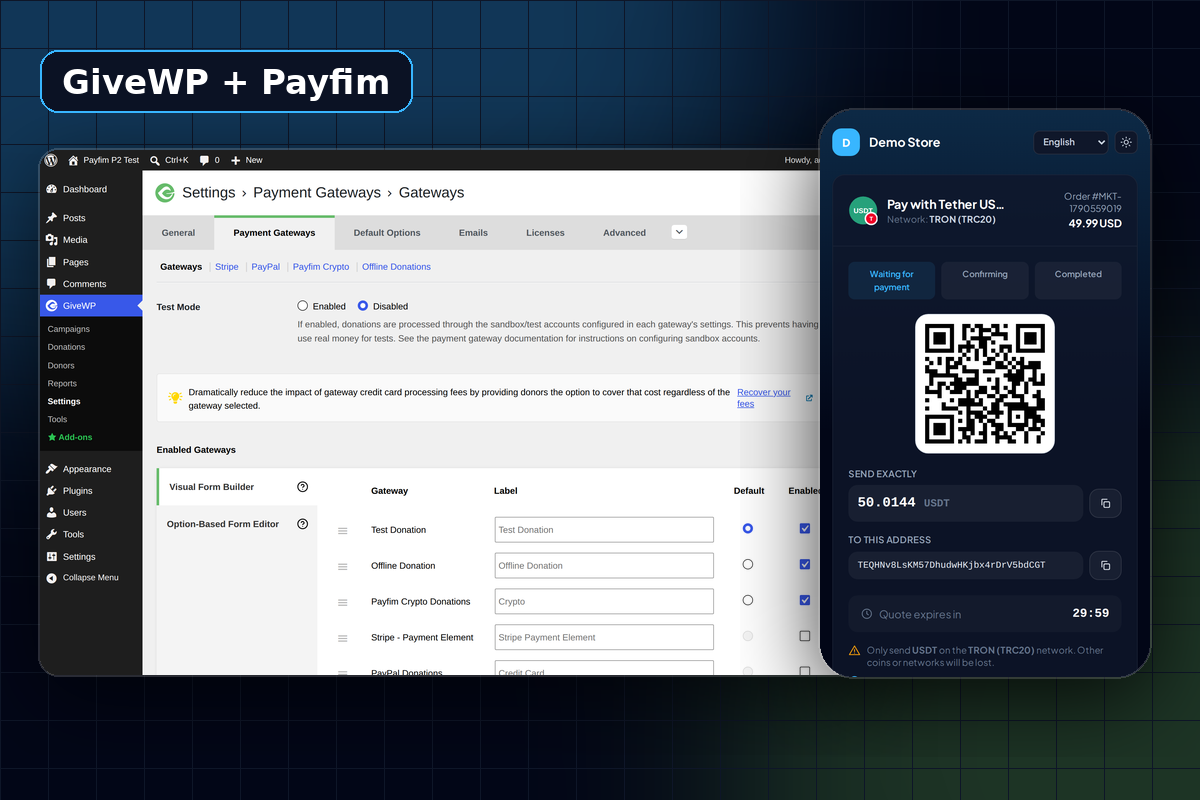
GiveWP has two kinds of donation forms, and many organizations run both: newer visual form builder forms and older option-based forms. The gateway supports each one, and you switch it on per form type under Payment Gateways → Gateways.
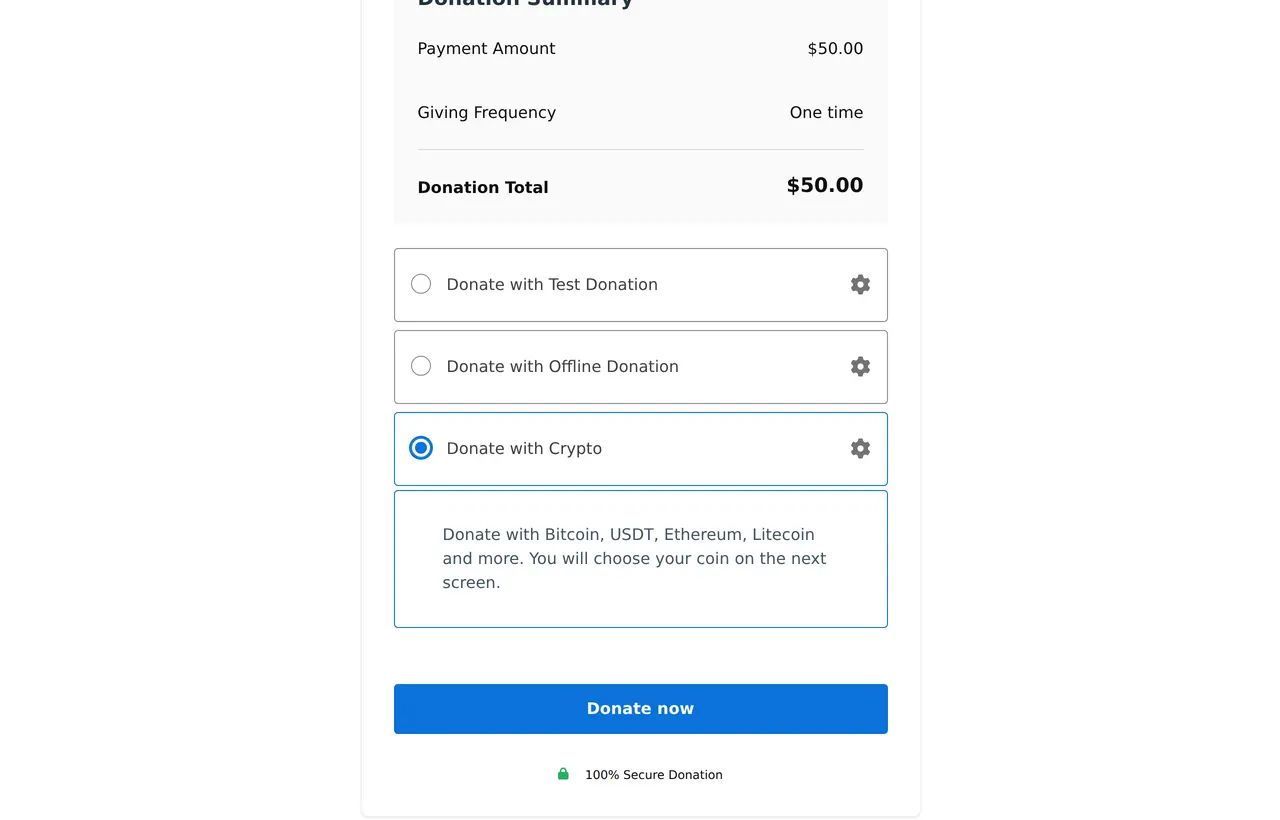
- On visual builder forms, GiveWP prefixes gateway names with "Donate with", so the default title Crypto appears as Donate with Crypto.
- The Label column in GiveWP's gateway list lets you rename it separately for each form type.
- It works with embedded forms and campaign pages, and donors return to GiveWP's own receipt when they are done.
The gateway is built on GiveWP's current payment gateway API with an off-site redirect and GiveWP-signed return and cancel routes, rather than older compatibility hooks. Your card and other gateways keep working exactly as before; crypto is simply one more choice for the donor.
What donors and staff see
The donor picks the crypto option and clicks Donate now. GiveWP records the donation as Pending, and the gateway creates an invoice on the server for exactly the amount chosen on the form. The donor chooses a coin, scans the QR code and sends the gift. The checkout page is available in English, Spanish, French, German, Portuguese and Turkish.
| Situation | GiveWP donation status |
|---|---|
| Transaction seen, awaiting confirmations | Processing |
| Payment confirmed | Complete - receipt sent to the donor |
| Donor sent less than the amount | Pending for review, with a note (or Failed, if you prefer) |
| Donor clicked the cancel link | Cancelled |
| Quote expired unpaid | Abandoned |
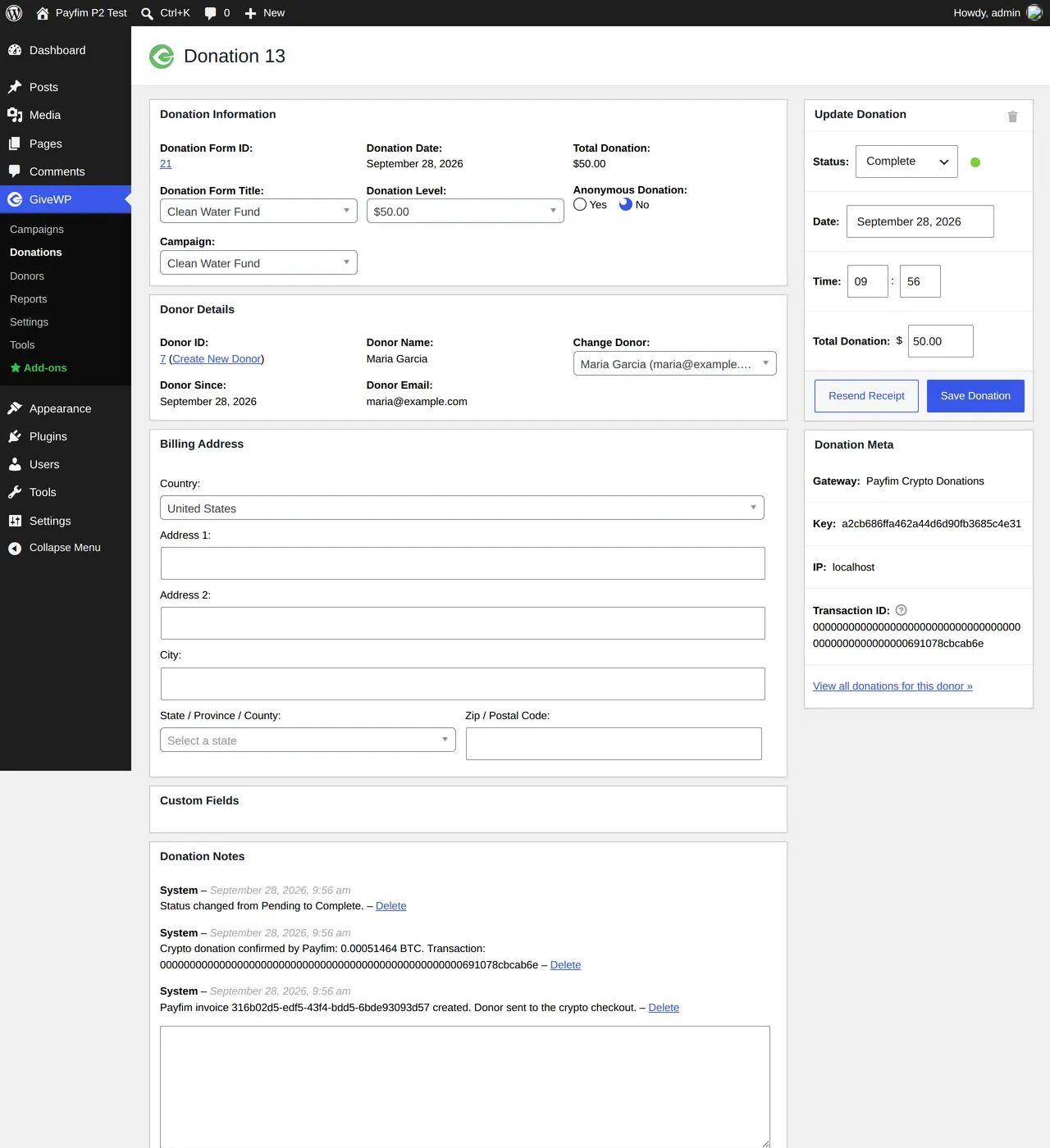
On completion, the blockchain transaction hash is stored as the donation's Transaction ID, and the donation notes list the invoice, coin and amount received. Your team can match every gift to an on-chain record without asking the donor for proof.
Short payments are never counted as complete
When a donor sends crypto from an exchange, the exchange sometimes deducts its fee from the amount, so slightly less arrives. Payfim allows a small tolerance (0.5% by default); anything beyond that is flagged as underpaid. The donation is not completed and no receipt for the full amount goes out. It stays Pending with a note such as only 0.0008 of 0.0010 BTC received, so staff can decide whether to accept the lower amount or contact the donor. The transaction hash in the notes lets them check the gift in any block explorer first.
Questions to settle before you launch
Accepting crypto is mostly a technical change, but a few decisions belong with your board or finance team:
- Who controls the wallets. Because Payfim is non-custodial, the organization holds the keys. Agree who has access and how it is documented.
- Which coins. Stablecoins such as USDT on TRON or USDC keep the dollar value steady; Bitcoin and Ethereum are what many crypto holders want to give. See how to choose which coins to accept.
- Receipts and tax treatment. How crypto gifts are valued and receipted depends on your country and your organization's status. Rules vary, so ask a qualified accountant or tax adviser before you promote crypto giving.
- Hold or convert. Payfim never converts or settles to a bank account; gifts stay in the wallet as the coin the donor sent. Decide in advance whether you keep them or exchange them, and who does it.
A checkout page donors can trust
Donors are rightly careful about where they send crypto. With Payfim, the payment page lives on your organization's own domain, such as pay.yourcharity.org, and carries your branding. The optional white-label add-on removes the "Powered by Payfim" line entirely.
Donors do not create an account anywhere, and they are not asked to identify themselves to a payment company. They see the exact amount, a QR code for their wallet app and a live status that moves from waiting to confirmed. If they change their mind, the cancel link on the payment page returns them to your site and marks the unpaid donation as cancelled, so your reports stay clean.
Every gift is matched on-chain: each open invoice gets a unique amount, and one blockchain transaction can only ever settle one donation, so two donors giving the same amount at the same time are never mixed up.
Requirements
| GiveWP | 3.x - 4.x (tested end to end on GiveWP 4.17) |
|---|---|
| WordPress | 6.0 or newer |
| PHP | 7.4 - 8.4 |
| Form types | Visual form builder and option-based forms |
| Donation type | One-time donations |
| Gateway | Payfim Gateway 3.0+ on HTTPS (included in your download) |
GiveWP 3.0 or newer must be installed; option-based forms are supported, but very old GiveWP 2.x plugin versions are not. The plugin passes the WordPress Plugin Check tool without errors and removes only its own settings on uninstall; donations, notes and transaction IDs are kept for your records.
How to install the GiveWP crypto payment gateway
- Install the Payfim Gateway. Put the gateway on your organization's hosting (for example
pay.yourcharity.org) and add the wallet addresses that should receive donations. See Install the Payfim gateway. - Upload the plugin. In WordPress open Plugins → Add New Plugin → Upload Plugin, choose
payfim-givewp.zip, then Install Now and Activate Plugin. - Connect the gateway. Go to GiveWP → Settings → Payment Gateways → Payfim Crypto (on GiveWP 3.x the top-level menu is called Donations; GiveWP 4.0 renamed it GiveWP), enter the Gateway URL and API key, save, and click Test connection.
- Enable it on your forms. Under Payment Gateways → Gateways, tick Enabled for Payfim Crypto Donations on the Visual Form Builder tab and, if you use older forms, on the Option-Based Form Editor tab.
- Make a test gift. Donate a small amount on one of your forms and check that the donation turns Complete with a transaction ID. The GiveWP setup guide shows each screen.
Screenshots