

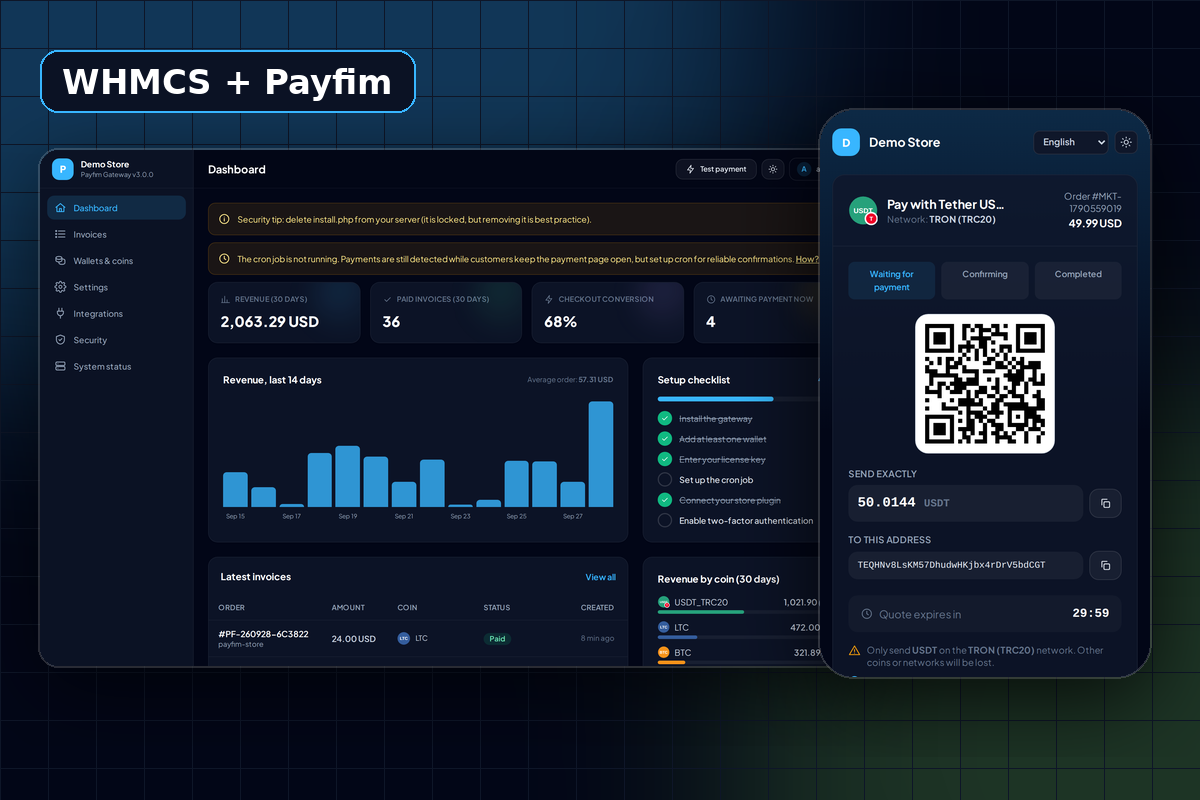
The Payfim WHMCS Crypto Payment Gateway Module empowers you to accept Bitcoin, Ethereum, USDT, and 12 other top cryptocurrencies directly on wallet, without any third-party involment or commission. Our self-hosted architecture ensures that funds go straight to your personal crypto wallets with zero middlemen, zero transaction fees, and absolutely no KYC requirements. Installation takes just few minutes, providing your clients with a seamless, white-labeled checkout experience complete with automatic payment confirmations and invoice status updates.
Crypto payments made for hosting companies
Hosting is a global, recurring business - and a large share of hosting customers live in countries where cards are unreliable or PayPal is unavailable. Crypto solves that, but hosted crypto processors bring back the same problems: application reviews, rolling reserves, payout delays and a fee on every renewal you bill for years.
The Payfim WHMCS module connects WHMCS to your own self-hosted Payfim gateway. Each unpaid invoice shows a clear Pay with Crypto button. Your client picks a coin, pays, and WHMCS records the payment against the invoice with the blockchain transaction ID - so services unsuspend and renewals process exactly as they do for card payments.
How the WHMCS module works
- WHMCS renders the invoice and calls the module's
payfim_link()function. - The module creates (or re-uses) a Payfim invoice for that WHMCS invoice server-to-server. The amount and currency come from WHMCS, never from the browser.
- Your client clicks Pay with Crypto, chooses from the coins you enabled and scans the QR code.
- Your gateway confirms the transaction and calls
modules/gateways/callback/payfim.phpwith a signed webhook. - The callback verifies the HMAC signature, re-reads the invoice from your gateway, runs WHMCS' own
checkCbInvoiceID()andcheckCbTransID()checks, then callsaddInvoicePayment()and writes a Gateway Log entry.
Because WHMCS rejects duplicate transaction IDs, a payment can never be applied twice - even if a webhook is retried.
Why self-hosted beats a processor for WHMCS
- No fees on recurring revenue. A 1% processor fee on a $10/month hosting plan costs you $1.20 per client per year, forever. Payfim costs one small one-time license.
- No account to lose. Hosting is often flagged as "high risk". With Payfim there is no processor to approve or suspend you.
- Stablecoins remove volatility. Offer USDT (TRC20) and USDC so you receive dollar-value payments instead of speculating on price moves.
- Your branding. The crypto checkout uses your colours and logo; add the white-label option to remove Payfim branding entirely.
Requirements
| WHMCS | 7.10 - 8.x - 9.x |
|---|---|
| PHP | 7.4 - 8.3 (as supported by your WHMCS version) |
| Gateway | Payfim Gateway 3.0+ (included) |
| Currencies | Any WHMCS currency with an ISO code (USD, EUR, GBP, ...) |
How to install the WHMCS crypto payment module
- Install the Payfim gateway. Upload the
payfimfolder to your server (for examplebilling.yourhost.com/payfim), run the installer and add your wallet addresses. - Upload the module. Upload the contents of the
uploadfolder to your WHMCS root, so thatmodules/gateways/payfim.phpandmodules/gateways/callback/payfim.phpexist. - Activate. In WHMCS go to Setup → Payments → Payment Gateways → All Payment Gateways and click Payfim Crypto Payments.
- Connect. Paste your Payfim Gateway URL and API key, choose the display name and save.
- Test. Create a small test invoice for your own client account, pay it with crypto and watch WHMCS mark it paid.