
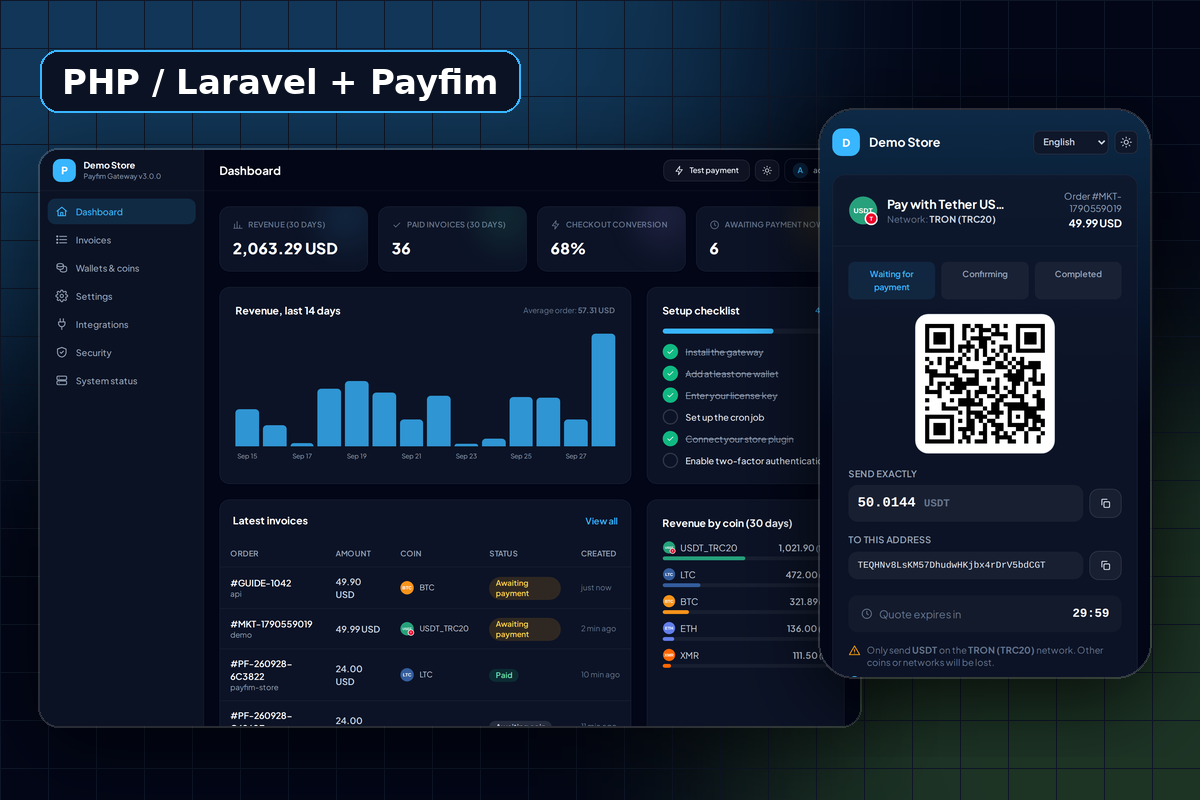
For applications that no plugin covers
Ready-made plugins are great when your store runs on a known platform. Many businesses do not: a SaaS with its own billing, a membership site, a booking system, a game server shop, or a cart an agency wrote years ago. The Payfim SDK is for those projects.
It wraps the gateway API in a typed client (Payfim\Client), turns responses into an immutable Invoice object, and verifies webhooks for you. The heavy lifting - rates, unique amounts, blockchain monitoring, confirmations - stays in your Payfim Gateway, so your code never talks to a blockchain directly. Coins go to your own wallets, and Payfim charges no transaction fees.
- No dependencies: only
ext-json,ext-hashandext-curlfor the default transport. - PSR-4, PSR-12, MIT licensed Composer package
payfim/payfim-php. - Optional PSR-18 transport if you prefer Guzzle or Symfony HttpClient.
Create an invoice and redirect the customer
Create the client with the Gateway URL and API key from the gateway's Integrations page. Keep both in environment variables on the server - never in JavaScript or a mobile app.
$payfim = new Payfim\Client(getenv('PAYFIM_URL'), getenv('PAYFIM_API_KEY'));
Then create an invoice from your own order record. Amount and currency come from your database, not from the browser:
$invoice = $payfim->createInvoice([
'order_id' => (string) $order->id,
'amount' => $order->total, // "49.90"
'currency' => $order->currency, // "USD"
'webhook_url' => 'https://shop.example.com/payfim/webhook',
'return_url' => 'https://shop.example.com/orders/' . $order->id,
]);
header('Location: ' . $invoice->getCheckoutUrl(), true, 303);
Store $invoice->getId() on the order so you can match webhooks later. createInvoice() is idempotent: calling it again for the same open order returns the same invoice, so a double click on "Pay" is harmless. If the amount changed, the gateway replaces the old open invoice. Bad input throws InvalidArgumentException before any request is sent.
Verify webhooks the safe way
Your gateway sends a signed POST to webhook_url on every status change (invoice.confirming, invoice.paid, invoice.underpaid, invoice.expired, invoice.cancelled) and retries until it gets a 2xx, for up to 24 hours. The header looks like X-Payfim-Signature: t=<unix>,v1=<hex>, an HMAC-SHA256 of the timestamp and the raw body.
$event = $payfim->constructEvent(file_get_contents('php://input'), $_SERVER['HTTP_X_PAYFIM_SIGNATURE'] ?? '');
$invoice = $payfim->fetchEventInvoice($event);
if ($invoice->isPaid() && $order->status !== 'paid' && $invoice->matchesAmount($order->total, $order->currency)) {
$order->markPaid($invoice->getTransactionReference());
}
constructEvent() checks the signature and a 300-second timestamp window and throws SignatureVerificationException on failure (answer 401). fetchEventInvoice() re-reads the invoice from the gateway and cross-checks its ID, order and source, so you act on trusted data rather than on the payload. getTransactionReference() returns the transaction hash, or a payfim-<id> reference when no hash is available. In a queue worker without a client, Payfim\Webhook::verify($raw, $header, $apiKey) does the same check statically.
The SDK's built-in checklist is short and worth following: create invoices server-side, verify the raw body, act on the re-fetched status, make "mark paid" idempotent, treat underpaid as "needs review", and never mark an order paid just because the customer reached your return page.
Laravel: a facade, a route and events
In Laravel the service provider and the Payfim facade are auto-discovered. Add PAYFIM_URL and PAYFIM_API_KEY to .env, then register the webhook route:
Route::payfimWebhook(); // POST /payfim/webhook
The macro attaches the VerifyPayfimSignature middleware, and the built-in controller re-fetches the invoice and dispatches events based on the re-fetched status: InvoicePaid, InvoiceUnderpaid, InvoiceConfirming, InvoiceExpired and InvoiceCancelled, plus InvoiceWebhookReceived for every verified call. A listener only needs the business logic:
public function handle(InvoicePaid $e): void
{
$order = Order::where('payfim_invoice_id', $e->invoice->getId())->first();
if (!$order || $order->status === 'paid') { return; }
if ($e->invoice->matchesAmount($order->total, $order->currency)) { $order->update(['status' => 'paid']); }
}
Remember to exclude payfim/webhook from CSRF protection. If the gateway cannot be reached for the re-check, the controller answers 502 so the gateway tries again later. php artisan vendor:publish --tag=payfim-config publishes the config file if you want to adjust tolerance, paths or timeouts.
Where the SDK sits in your architecture
Three parts talk to each other. Your application holds orders and customers. The Payfim Gateway, usually on its own subdomain such as pay.example.com, holds invoices, wallets and blockchain monitoring. The SDK is the thin, typed layer between them: every request carries your API key in the X-Payfim-Api-Key header, and every response is either a success object or an error the SDK converts into an exception.
An invoice moves through a small set of states, available as constants in Payfim\InvoiceStatus: new (no coin chosen yet), pending, confirming and paid, or the exits underpaid, expired and cancelled. On your return page you may call getInvoice() to show a fresher status, but let the webhook decide when an order is paid.
Errors, transports and tests
Every exception extends Payfim\Exception\PayfimException. ApiException carries the HTTP status and an error code such as unauthorized, not_found, validation or rate_limited; TransportException covers DNS, TLS and timeouts. Show customers a generic "temporarily unavailable" message and log the details. Note that the gateway rate-limits API calls after 20 failed key checks in 15 minutes, so fix a wrong key before retrying in a loop.
The default cURL transport verifies TLS peer and host, never follows redirects and uses short timeouts. The package ships with plain-PHP and Laravel examples and a test suite that runs with php tests/run.php - no PHPUnit needed - and can optionally run live tests against your own gateway.
Requirements
| PHP | 7.4 - 8.4 with ext-json, ext-hash (ext-curl for the default transport) |
|---|---|
| Laravel | Optional; the bridge supports Laravel 8 - 13 |
| Dependencies | None (PSR-18 packages only if you choose that transport) |
| Install | Composer path repository or a four-line autoloader |
| Gateway | Payfim Gateway 3.0+ on HTTPS (included in your download) |
The SDK itself is MIT licensed, so it can ship inside commercial and closed-source projects.
How to install the PHP / Laravel crypto payment SDK
- Install the gateway. Deploy the Payfim Gateway on your server and add your receiving wallets. See Install the Payfim gateway.
- Add the package. Unzip
payfim-php.zipinto your project (for examplepackages/payfim-php/), add it as a Composer path repository, requirepayfim/payfim-php^3.0and runcomposer update payfim/payfim-php. Without Composer, use the small autoloader shown inREADME.md. - Configure credentials. Copy the Gateway URL and API key from the gateway's Integrations page into environment variables, create a
Payfim\Clientand callping()to check the connection and list your active coins. - Build checkout and webhook. Call
createInvoice()when the customer chooses crypto, redirect togetCheckoutUrl(), and handle the webhook withconstructEvent()andfetchEventInvoice()(orRoute::payfimWebhook()in Laravel). - Test end to end. Run
php tests/run.php, then make a small real payment through your integration and watch the order update. The SDK guide covers each step in more detail.