A self-hosted crypto gateway for a self-hosted billing system
People choose FOSSBilling because they want to own their billing stack: it is free, open source under the Apache 2.0 license, and runs on your own server. Handing your crypto income to a hosted processor undoes much of that. The processor holds your coins, sets the rules and can close the account.
Payfim keeps the whole chain on infrastructure you control. The Payfim Gateway is a PHP application you install next to FOSSBilling, and the FOSSBilling adapter is a single readable PHP class. Clients pay into wallet addresses you own; Payfim never holds funds or asks for private keys.
FOSSBilling itself says it is still in beta, so a small, auditable adapter matters. You can read every line before you enable it.
What a FOSSBilling client sees
Nothing new to learn. On an unpaid invoice, the client picks the Payfim logo among your payment methods and clicks Pay Now. The adapter creates a Payfim invoice on the server from the invoice total including tax, then sends the client to your branded checkout page, where they choose a coin and scan a QR code.
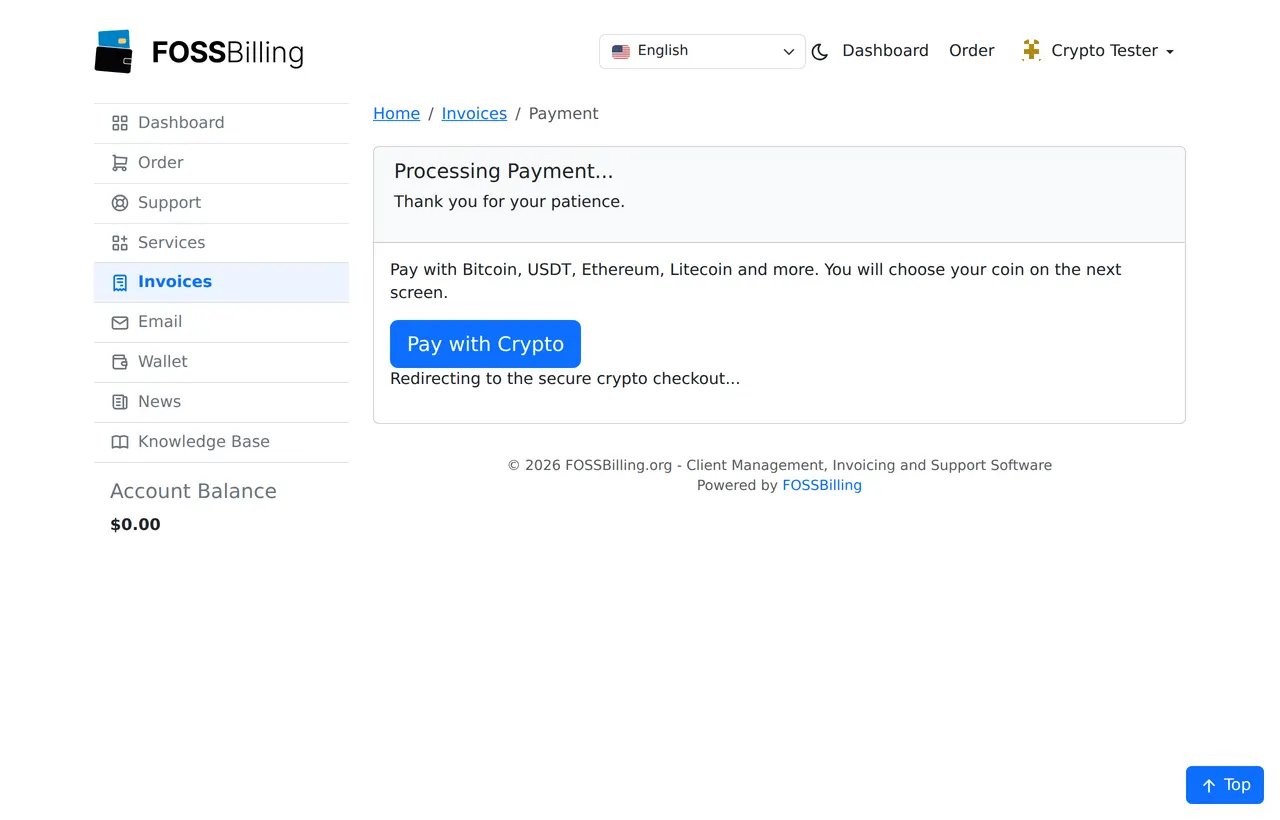
FOSSBilling calls payment adapters with its own auto-redirect, so the client briefly sees a Pay with Crypto button and a "Redirecting..." message before the checkout opens. If they close the tab and come back, reopening the invoice re-uses the same Payfim invoice rather than creating a new one.
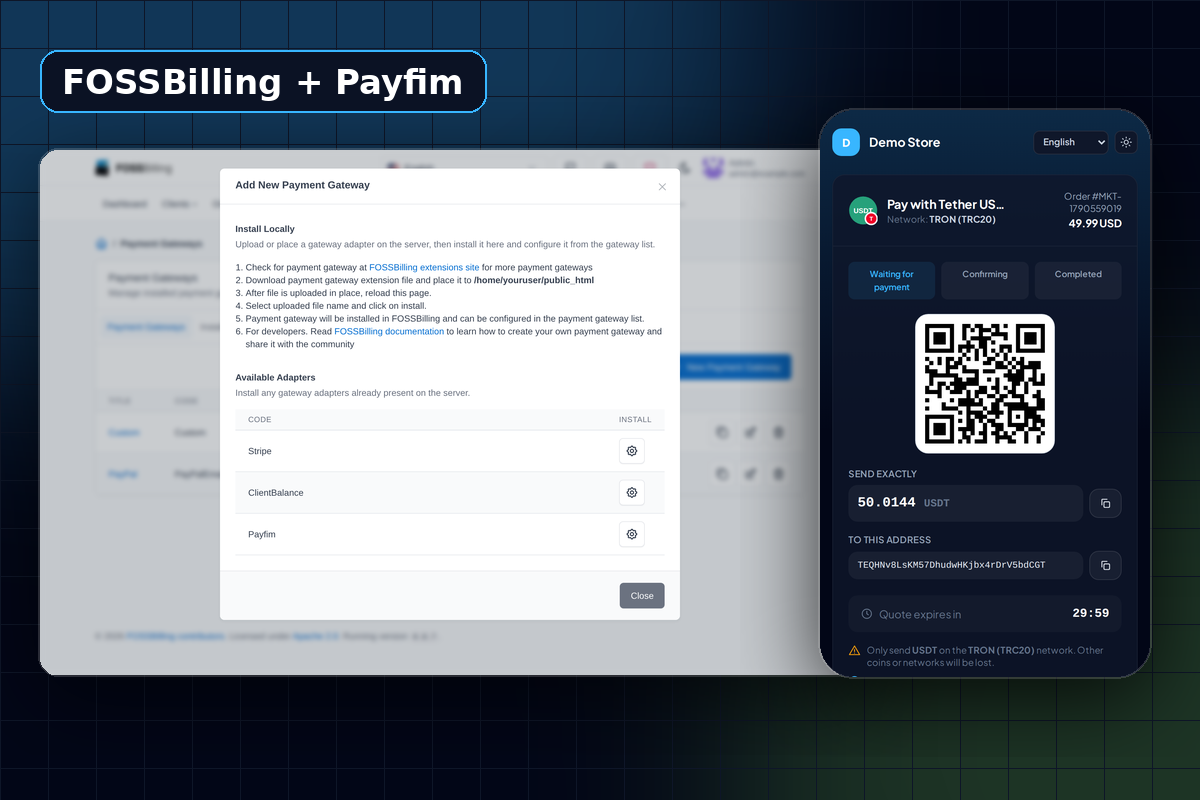
The checkout shows the exact amount, the address and a QR code, counts down the rate lock, and is available in English, Spanish, French, German, Portuguese and Turkish, in light or dark mode. After paying, the client is returned to the FOSSBilling thank-you page.
How FOSSBilling marks the invoice paid
When the payment has the confirmations you set for that coin, your gateway posts a signed webhook to FOSSBilling's ipn.php. FOSSBilling stores it as a transaction and hands it to the Payfim adapter, which then:
- verifies the HMAC-SHA256 signature and its timestamp;
- fetches the invoice from your Payfim gateway and checks the source, invoice number, amount and currency;
- adds the funds to the client balance and pays the invoice from it - the same approach FOSSBilling's built-in card adapters use;
- saves the blockchain transaction hash as the transaction ID, with a note showing the coin and amount.
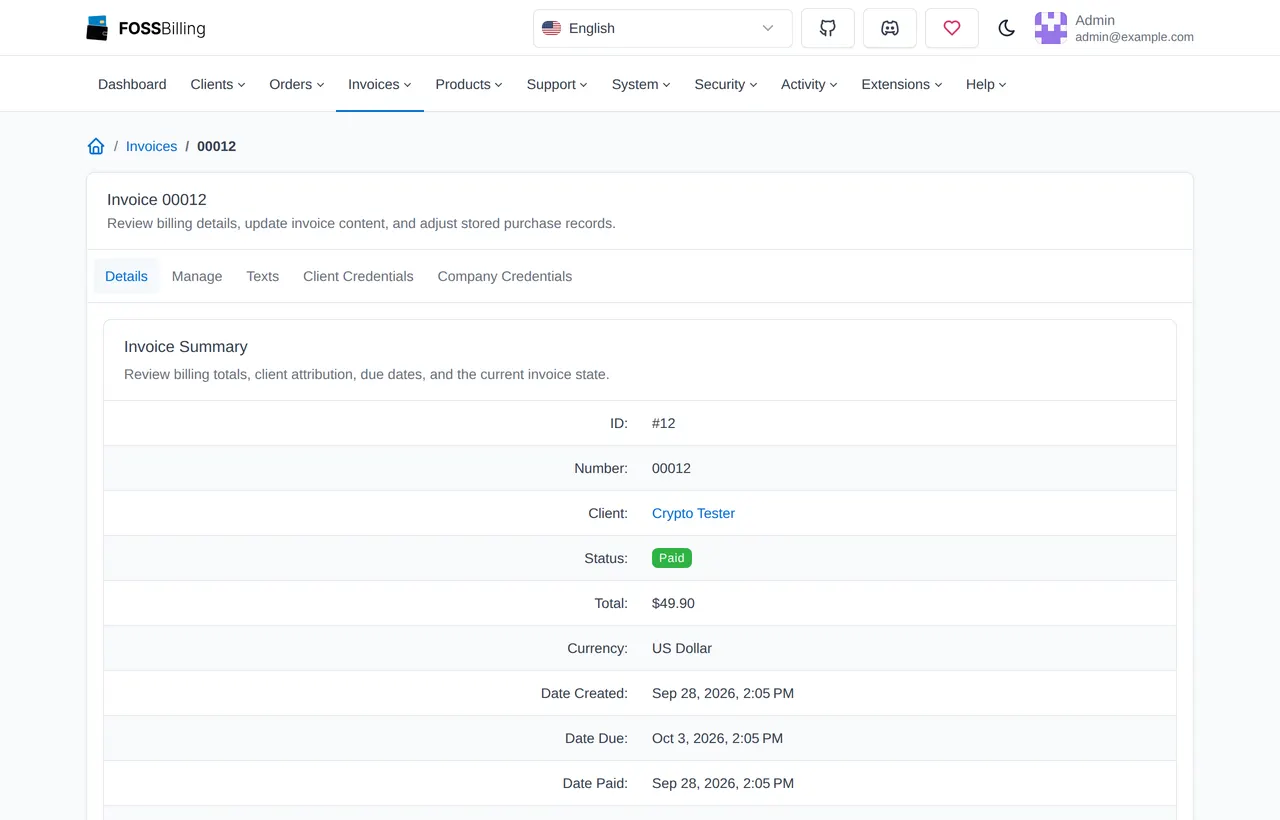
The net effect on the client balance is zero and the invoice shows Paid. A second copy of the same webhook is recognized and ignored, and a valid webhook for one invoice cannot be replayed against another.
If the client sends too little, the transaction is saved with the status underpaid and the note "Only X of Y received", and the invoice stays unpaid for you to handle.
Which FOSSBilling version do you need?
The adapter uses the payment adapter contract that has existed since FOSSBilling 0.6, and we tested the full flow - install, configure, pay, webhook, duplicate and forged webhooks, underpayment - on a live FOSSBilling 0.8.7 install. A few conveniences depend on newer FOSSBilling releases:
| Feature | FOSSBilling version |
|---|---|
| Crypto payments on invoices | 0.6 and newer |
| Connection test when you save the gateway as Enabled | 0.8.2 and newer |
| Failed webhooks retried by your gateway | 0.8.2 and newer (older versions always answer HTTP 200) |
| API key stored as a masked secret | 0.8.3 and newer |
If you are on 0.6 or 0.7, the adapter works, but we recommend updating FOSSBilling to get the connection check and webhook retries. On any version, a webhook that fails is visible in the Payfim dashboard with its HTTP status, so you can spot a problem before a client writes to support.
What about recurring hosting plans?
Crypto payments are "push" payments: the client sends money from their wallet, and nobody can pull it automatically later. So the adapter supports one-time payments of each invoice, not stored-card style subscriptions. For recurring plans this works well in practice - FOSSBilling generates the renewal invoice as usual, the client pays it in crypto, and the service continues.
To make renewals painless for clients abroad, enable a low-fee stablecoin such as USDT on TRON. You can also reward crypto payers with a price adjustment in the gateway, for example -5%.
Running Payfim next to FOSSBilling
You do not need a separate server. The Payfim Gateway is a PHP application that runs on ordinary hosting, including cPanel shared hosting, with PHP 7.4 - 8.4, MySQL or MariaDB, cURL and HTTPS. A common layout is FOSSBilling on billing.example.com and the gateway on pay.example.com, both on the same account.
Three things make the setup reliable:
- A cron job every minute for the gateway, so it checks the blockchain often and delivers webhooks promptly.
- Outbound and inbound HTTPS. FOSSBilling must be able to call the gateway (to create invoices), and the gateway must be able to reach FOSSBilling's
ipn.php(to report payments). A firewall or maintenance page in the way is the usual cause of invoices that stay unpaid. - Your own receiving addresses. Use a wallet you control, not an exchange deposit address, which can change or be shared between users.
The gateway admin has two-factor login, an IP allowlist and a system status page. If payfim.com is ever unreachable, the Ed25519-signed license check has a 72-hour grace period and never blocks checkout.
Requirements
| FOSSBilling | 0.6 - 0.8 (tested live on 0.8.7) |
|---|---|
| PHP | 8.1 - 8.4 |
| Adapter | library/Payment/Adapter/Payfim.php |
| Payments | One-time invoice payments |
| Gateway | Payfim Gateway 3.0+ (included in your download) |
| Network | HTTPS, FOSSBilling reachable from the gateway server |
How to install the FOSSBilling crypto payment gateway
- Install the Payfim gateway. Upload the gateway to your server, run its installer and add a receiving address for each coin. Follow installing the Payfim gateway.
- Upload the adapter. Unzip
payfim-fossbilling.zipand upload the contents ofupload/to your FOSSBilling root. This addslibrary/Payment/Adapter/Payfim.phpand its logo. - Install it. In the admin area open System → Payment Gateways, click New Payment Gateway and click the gear icon next to Payfim.
- Connect. Open the new gateway, set the title (for example Pay with Crypto), paste your Gateway URL and API key from Payfim dashboard → Integrations, tick Enabled and Allow One Time Payments, then click Update Gateway.
- Test. Create a small invoice for a test client in Invoices → New invoice, open it from the client area and pay it with crypto. More detail in the FOSSBilling docs.
Screenshots