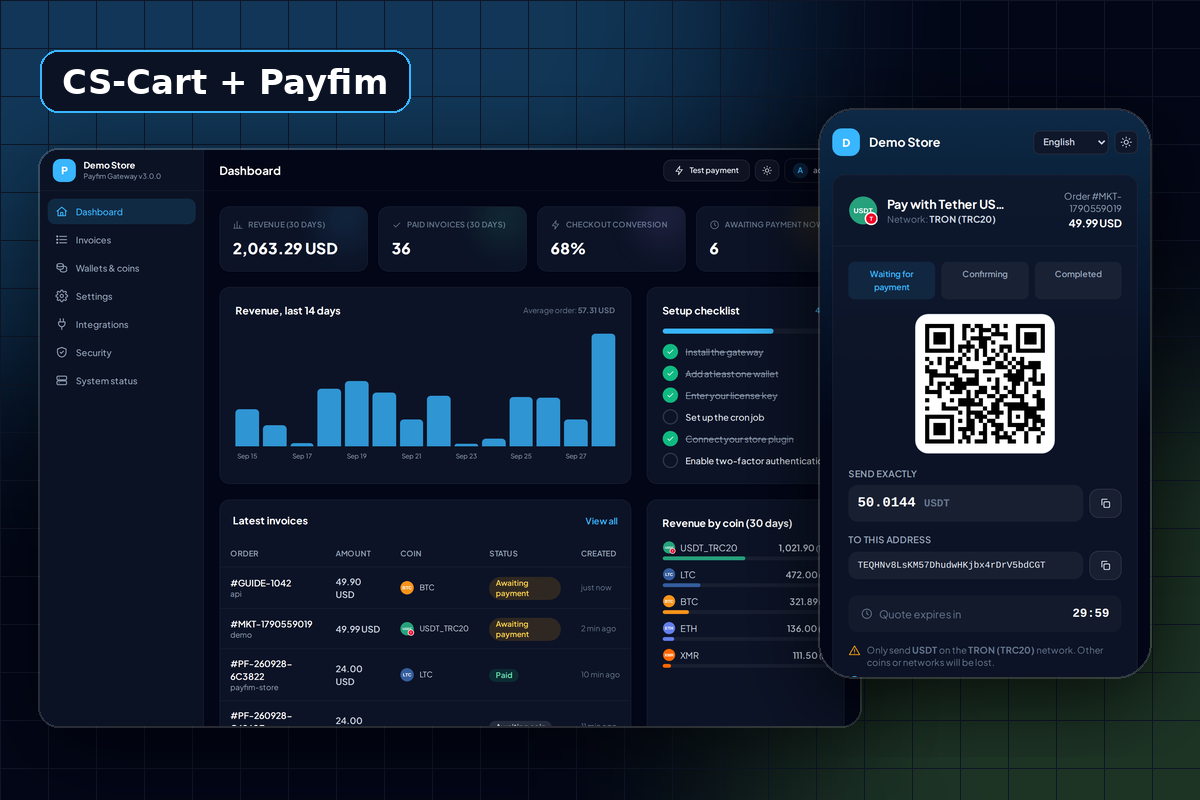
For CS-Cart stores and Multi-Vendor marketplaces
CS-Cart is used for single stores and, with Multi-Vendor, for marketplaces where many sellers list products under one storefront. The Payfim add-on works in both editions and follows CS-Cart's own payment conventions, so it behaves like the processors your team already knows.
Customers pay on the Payfim checkout that you host, and the coins go straight to your wallet addresses. There is no third-party processor between the customer and you, no account review and no fee per order. You pay once for the add-on license.
That also removes a risk marketplaces know well: a processor deciding that one vendor's products break its rules and freezing payments for the whole platform. Payfim has no account that can be frozen and no onboarding or KYC with us. Compliance obligations for your marketplace still apply, and they vary by country, so check with a qualified professional.
How crypto fits a Multi-Vendor marketplace
In a marketplace the question is always "who receives the money?" With this add-on the answer is simple: the marketplace owner. Crypto payments for marketplace orders go to the wallets configured in the owner's Payfim Gateway.
The add-on does not split payments between vendors on the blockchain. Vendor payouts and commissions stay in CS-Cart's own marketplace accounting, and you pay vendors the way you do today. That keeps the payment flow easy to audit: one invoice, one blockchain transaction, one order status change.
If you want vendors to see which of their orders were paid in crypto, the payment information on each order already records the coin, amount and transaction ID, which anyone can check on a public block explorer.
You control where the option appears. If Pay with Crypto should only be offered on some storefronts, or to some user groups, use the normal availability settings of the payment method.
Order statuses you choose
CS-Cart teams work by order status, so the add-on lets you map each payment outcome to a status on the payment method's Configure tab. The defaults are:
| Payment outcome | Default order status |
|---|---|
| Waiting for the customer to pay | Open |
| Paid with the required confirmations | Processed |
| Customer sent less than the total | Awaiting call, with the note "Only X of Y received" |
| Quote expired unpaid | Failed, only while the order is still unpaid |
A payment that is still confirming is noted in the order's payment information without changing the status. Paid orders are finished through CS-Cart's standard payment completion, and the blockchain transaction hash is stored as the order's transaction ID. In Orders → View orders the payment information also shows the Payfim invoice, coin and amount received.
What the customer sees
- At checkout the customer picks Pay with Crypto and places the order.
- The add-on creates the crypto invoice server-to-server from the order total and sends the customer to your checkout, where they choose a coin and pay by QR code or by copying the address.
- When they finish, CS-Cart shows its usual order confirmation.
If your gateway cannot be reached when the order is placed, the customer sees "Crypto payment is temporarily unavailable" and is returned to checkout to choose another method. The order stays incomplete, so nothing is left in a misleading state.
Customers do not need an account with Payfim or any other service; any wallet or exchange that can send the chosen coin works.
Orders are charged in the store's primary currency, like CS-Cart's built-in processors. Secondary currencies are converted by CS-Cart for display only.
Safe to install, update and remove
- No manual payment setup. Installing the add-on registers the Payfim Crypto Payments processor and creates a disabled Pay with Crypto payment method with a default description.
- No webhook setup. The webhook URL is sent to the gateway with every invoice. Notifications are HMAC-SHA256 signed, checked for age, and re-verified with your gateway before any status change.
- Applied once. Webhook and customer return are serialized with a lock per order; a repeated notification changes nothing.
- Masked API key and a Test connection button that confirms the gateway version and your enabled coins.
- Clean uninstall. Removing the add-on disables its payment methods but keeps orders and payment information. Reinstalling re-attaches the old payment method, so webhooks for older orders still work.
What the CS-Cart add-on costs
The add-on is a one-time lifetime license of $25 for one domain, and it includes the Payfim Gateway. There is no monthly fee and no percentage of sales. The customer pays the normal blockchain network fee of the coin they choose, and Payfim takes nothing from the payment.
- 12 months of updates are included. After that, update renewal is optional at $9 per year.
- All-Access Bundle for $99 if you also run WooCommerce, WHMCS or other platforms.
- White-label ($10) removes "Powered by Payfim" from the checkout, useful for marketplaces with their own brand.
- Installation service ($10) if you want us to set it up.
- 14-day refund policy - see the refund policy.
For a marketplace, the difference from a percentage-based processor grows with volume, because the license cost stays the same however many orders you take. Compare the models in crypto vs card payment fees.
Requirements
| CS-Cart | CS-Cart and Multi-Vendor 4.3 and newer 4.x releases |
|---|---|
| PHP | 7.4 - 8.4 (as supported by your CS-Cart version) |
| Install | Add-ons → Manage add-ons upload, or copy app, design and var |
| Currency | Store primary currency |
| Gateway | Payfim Gateway 3.0+ (included in your download) |
| Network | HTTPS, storefront reachable from the gateway (not closed or behind HTTP authentication) |
How to install the CS-Cart crypto payment add-on
- Install the Payfim gateway. Put the gateway on your hosting, run the installer and add a receiving address per coin - see installing the Payfim gateway and adding wallets.
- Install the add-on. In the admin open Add-ons → Manage add-ons, click + (Upload & install add-on), choose
payfim-cscart.zipand click Upload & install. - Open the payment method. Go to Administration → Payment methods and open Pay with Crypto. On the General tab adjust the name and description customers see.
- Connect. On the Configure tab enter your Gateway URL and API key, review the order statuses, click Save and set the method to Active. Reopen it and click Test connection.
- Test. Add a product to the cart, choose Pay with Crypto, pay a small amount and check the order reaches Processed. Troubleshooting is in the CS-Cart docs.