

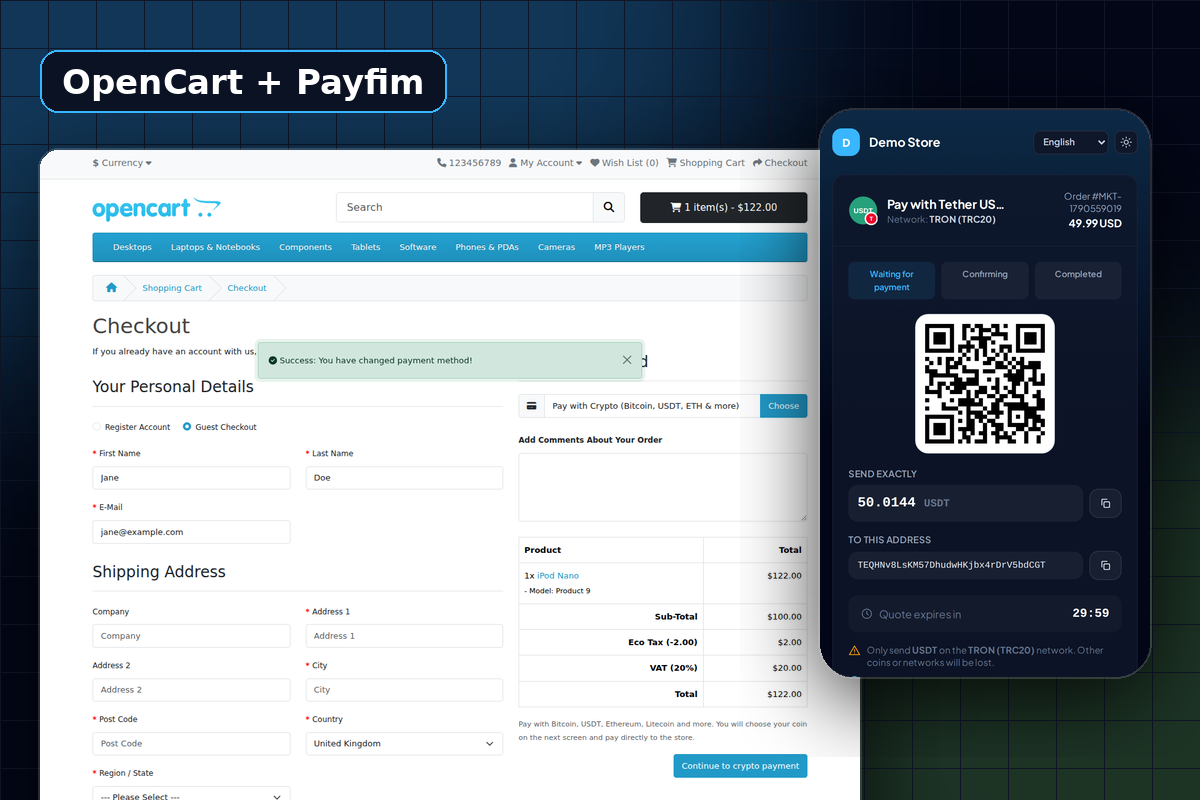
Take true ownership of your e-commerce store with the Payfim OpenCart Crypto Gateway Extension. Built for independent and high-risk merchants, this self-hosted extension allows you to seamlessly accept Bitcoin, USDT (TRC20), Monero, and 12+ other major cryptocurrencies directly at checkout.
By connecting to your personal Payfim node, payments are routed straight to your hardware or exchange wallets—guaranteeing zero transaction fees, no middlemen, and complete immunity to fraudulent chargebacks. Our decentralized infrastructure continuously monitors the blockchain and automatically updates your OpenCart order statuses the moment a transaction is verified. Secure your revenue, bypass traditional banking restrictions, and offer borderless payments to your global customer base today.
One download for OpenCart 3 and OpenCart 4
OpenCart 3.0 and OpenCart 4 use completely different extension formats, and plenty of stores still run 3.0.x. Your Payfim download contains both: payfim-oc3.ocmod.zip for OpenCart 3.0.x and payfim.ocmod.zip for OpenCart 4.0.2 - 4.1. Each follows the official OpenCart structure, installs through Extensions → Installer and needs no FTP or file edits.
Designed around the OpenCart checkout
At checkout your customers see Pay with Crypto alongside your other payment methods. When they confirm the order, the extension creates the Payfim invoice on the server, records the order with your chosen Pending status and redirects the customer to your crypto checkout. When the payment is confirmed, the order history is updated to your Paid status with the coin, amount and transaction hash, and the customer receives OpenCart's normal notification email.
From the settings screen you can map separate order statuses for awaiting payment, paid, underpaid and expired, limit crypto to certain geo zones, set a minimum order total and test your gateway connection with a single click.
Safe by default
- Invoices are created server-to-server: the price can never be edited by the shopper.
- Webhooks are HMAC-SHA256 signed, time-limited and re-checked against your gateway.
- The extension compares the invoice amount with the order total before changing any status.
- Each order is linked to one invoice in its own table, so an old or foreign invoice can never update the wrong order.
Requirements
| OpenCart | 3.0.x (3.0.2.0 - 3.0.5.0) and 4.0.2.0 - 4.1.x |
|---|---|
| PHP | 7.4 - 8.4 (as supported by your OpenCart version) |
| Gateway | Payfim Gateway 3.0+ (included) |
How to install the OpenCart crypto payment extension
- Install the Payfim gateway. Upload the
payfimfolder to your server, run the installer and add your wallet addresses. - Upload the extension. In OpenCart admin open Extensions → Installer and upload
payfim.ocmod.zip(OpenCart 4) orpayfim-oc3.ocmod.zip(OpenCart 3). On OpenCart 4 click the green install button next to it. - Enable the payment method. Go to Extensions → Extensions, choose Payments, find Payfim Crypto Payments, click Install, then Edit.
- Connect. Paste your Gateway URL and API key, click Test connection, switch Status on and save.
- Test. Place a test order in your storefront and pay it to see the order status update automatically.