Open-source billing, self-hosted crypto
Paymenter is an open-source (MIT) billing platform for hosting companies, built on Laravel. Hosts pick it because they can run it themselves, read the code and extend it. The Payfim extension follows the same idea: it is a regular Paymenter gateway extension written against the v1 extension API, and the crypto gateway behind it is a PHP application you host yourself.
Clients pay into your own wallet addresses. Payfim never holds funds, never sees a private key and charges no percentage. Whether you sell game servers, VPS plans or shared hosting, the money for each invoice goes from the client's wallet to yours.
That matters for hosts who have been through a processor review before. There is no onboarding or KYC with Payfim, no balance waiting for a payout and no account that can be frozen. Crypto payments cannot be charged back either, which removes a common source of fraud losses on instantly provisioned services. Blockchain payments are final, so refunds, when you choose to give them, are sent manually from your own wallet.
Built the Paymenter way
The extension lives in extensions/Gateways/Payfim/ and plugs into the parts of Paymenter you already use:
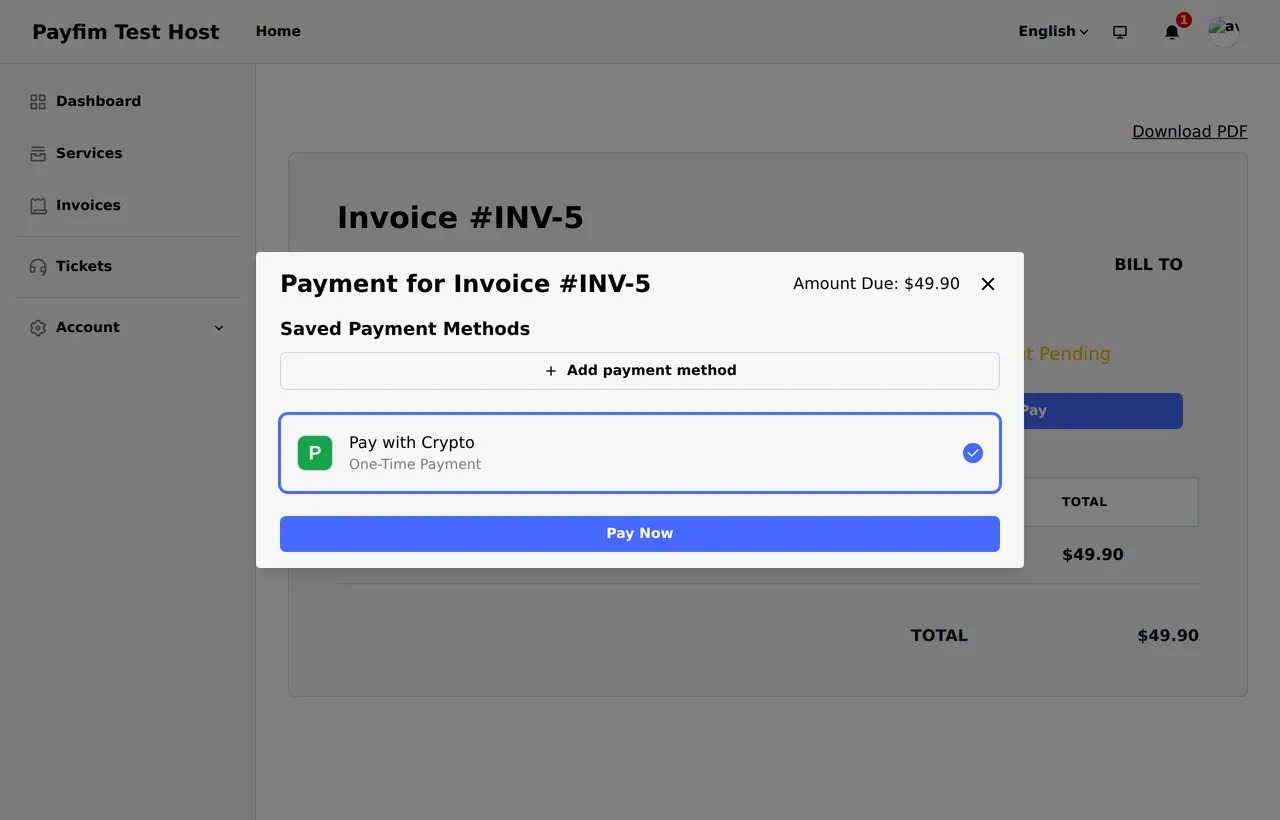
- Admin panel. You create the gateway under Extensions → Gateways → New Gateway, like the built-in ones. The gateway name you choose - for example Pay with Crypto - is what clients see in the payment dialog.
- Test connection. A button next to the Gateway URL field checks your gateway and API key before you save, and shows a notification such as "Connected to Payfim 3.0.0". A wrong key shows "Payfim connection failed".
- Transactions. Payments are recorded as normal Paymenter invoice transactions, so they appear in the same places as card payments.
- Routes. The extension registers its own webhook and return routes under
/extensions/gateways/payfim/. No web server rules to add.
Paymenter v1 requires PHP 8.3 or newer, and the extension uses the same modern PHP features Paymenter's own code does.
Payment states you can follow in Paymenter
Crypto payments are not instant: a Bitcoin payment needs a block, an Ethereum payment needs several. The extension shows that progress instead of leaving the invoice silent.
| What happened on the blockchain | What Paymenter shows |
|---|---|
| Payment seen, waiting for confirmations | A Processing transaction |
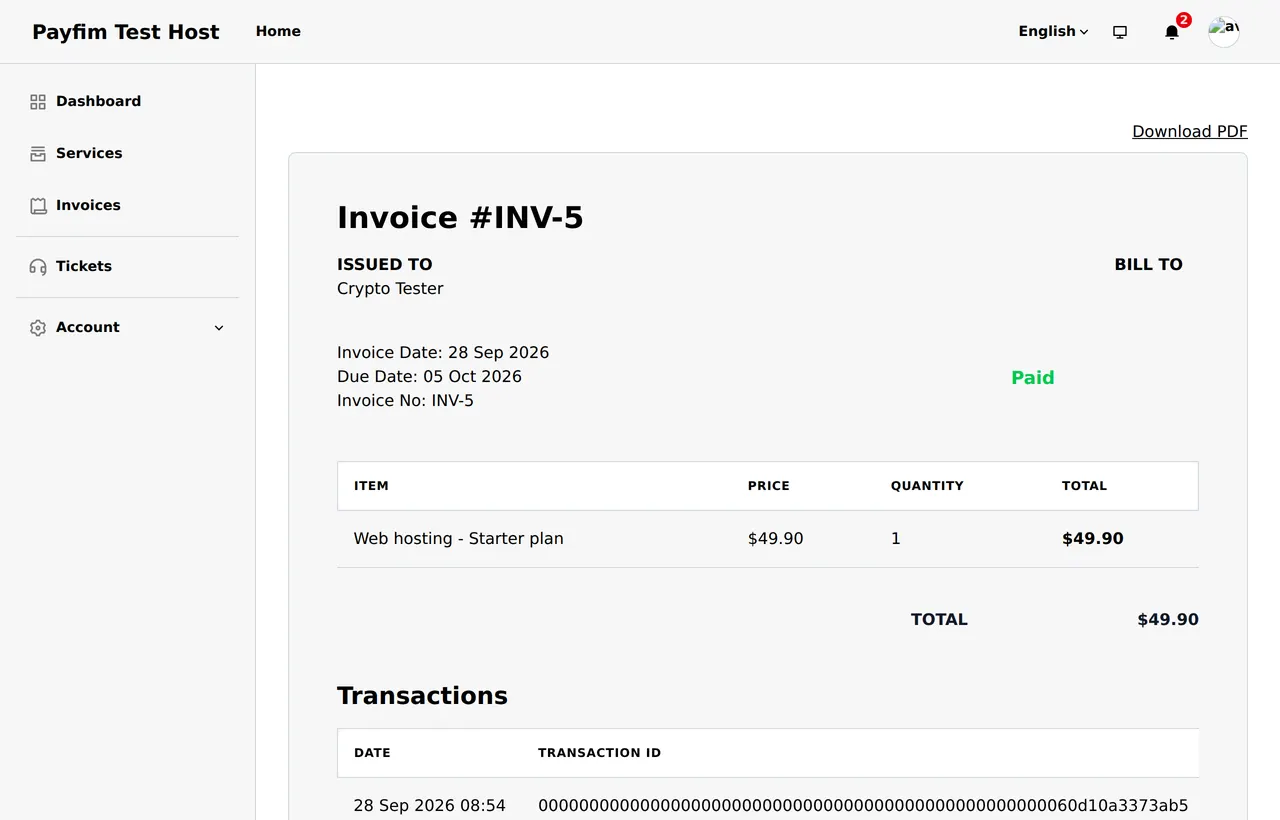
| Required confirmations reached | The same transaction becomes Succeeded; invoice Paid |
| Client sent less than due (beyond 0.5% tolerance) | A Failed transaction for the amount received; invoice stays unpaid |
| Same notification delivered again | Nothing new - one transaction per blockchain payment |
The transaction ID is the blockchain transaction hash, so staff can verify any payment on a block explorer. Confirmation counts per coin are set in your gateway; our explainer on blockchain confirmations helps you choose.
How the webhook is verified
Your gateway posts payment updates to /extensions/gateways/payfim/webhook. The extension accepts an update only if the HMAC-SHA256 signature matches your API key and is less than five minutes old. It then fetches the invoice from your gateway directly and checks that it belongs to this Paymenter invoice before writing anything. Forged, stale or tampered notifications are rejected.
When the client returns from the checkout, the return page also re-checks the invoice on the server, so the status they see is never taken from the browser. The invoice amount itself is created server-to-server when the client clicks Pay Now, so it cannot be edited in the browser either. More on the design on our security page.
Tested on a live Paymenter install
We installed Paymenter v1.5.8 from the official release and ran the full flow: creating the gateway with Test connection, saving the encrypted key, paying an invoice from the client area, receiving the signed webhook, rejecting duplicate and forged webhooks, and recording an underpayment. The screenshots below come from that install.
One Paymenter detail worth knowing: the Create page stores extension settings unencrypted - this is core Paymenter behavior and applies to built-in gateways too. After creating the gateway, open it and click Save changes once; Paymenter then stores the API key encrypted.
Running the gateway beside Paymenter
Paymenter usually lives on a VPS you manage. The Payfim Gateway can sit on the same machine under its own subdomain, such as pay.yourhost.com, or on separate shared hosting - it only needs PHP 7.4 - 8.4, MySQL or MariaDB, cURL and HTTPS. It is independent of your Paymenter PHP version.
A few operational points:
- Cron. Add the gateway's cron job to run every minute. That is what checks the blockchain and sends webhooks.
- Reachability. The gateway must be able to POST to your Paymenter site. If you put Paymenter behind a proxy or firewall that challenges unknown clients, allow the webhook path.
- Admin security. The gateway admin supports two-factor login and an IP allowlist - worth enabling, since it controls where payments go.
- Monitoring. The gateway has a system status page, and its webhook log shows each delivery with the HTTP status Paymenter returned. Failed deliveries are retried for 24 hours.
Paymenter itself is not involved in any of this; it only creates invoices through the extension and receives verified results. If you ever move Paymenter to a new server, the gateway, its wallets and its invoice history stay where they are - you only update the webhook reachability and keep the same API key.
Requirements
| Paymenter | v1.x (tested live on v1.5.8) |
|---|---|
| PHP | 8.3 - 8.4 |
| Extension path | extensions/Gateways/Payfim/ |
| Payments | One-time invoice payments (no refunds or billing agreements through Paymenter) |
| Gateway | Payfim Gateway 3.0+ (included in your download) |
How to install the Paymenter crypto payment extension
- Install the Payfim gateway. Upload the gateway to your server, run its installer and add your wallets - see installing the Payfim gateway.
- Upload the extension. Unzip
payfim-paymenter.zipand upload the contents ofupload/to your Paymenter root, creatingextensions/Gateways/Payfim/. Runphp artisan optimize:clearif you use config caching. - Create the gateway. In the admin panel go to Extensions → Gateways → New Gateway, name it Pay with Crypto, select Payfim, paste your Gateway URL and API key, click Test connection and then Create.
- Save once more. Open the gateway again and click Save changes so Paymenter stores the API key encrypted.
- Test. Create a small invoice for a test user in Admin → Invoices → New and pay it from the client area. More help in the Paymenter docs.
Screenshots