
The Payfim extension adds a Pay with Crypto gateway to Paymenter. Clients pay on your own Payfim checkout and invoices are marked paid automatically.
Before you start, install your Payfim Gateway and add your wallets (see Install the gateway and Add wallets). Compatibility: Paymenter v1.x · PHP 8.3 – 8.4.
- Upload the extension.
Unzip
payfim-paymenter.zipand upload the contents ofupload/to your Paymenter root. This createsextensions/Gateways/Payfim/. Then runphp artisan optimize:clearif you use config caching. - Create the gateway.
In the admin panel go to Extensions → Gateways → New Gateway. Name it Pay with Crypto (clients see this name), select Payfim, paste your Payfim Gateway URL and API key and click Test connection. Then click Create.

New gateway with a successful connection test - Save once more to encrypt the key.
Open the gateway again and click Save changes. Paymenter stores the API key encrypted when a gateway is saved from the edit page.

Edit gateway - Test connection button next to the URL Tip: Paymenter's Create page stores extension settings unencrypted; saving once from the Edit page encrypts the API key.
- What your clients see.
On an unpaid invoice the client clicks Pay, chooses Pay with Crypto and Pay Now, and is redirected to your Payfim checkout.
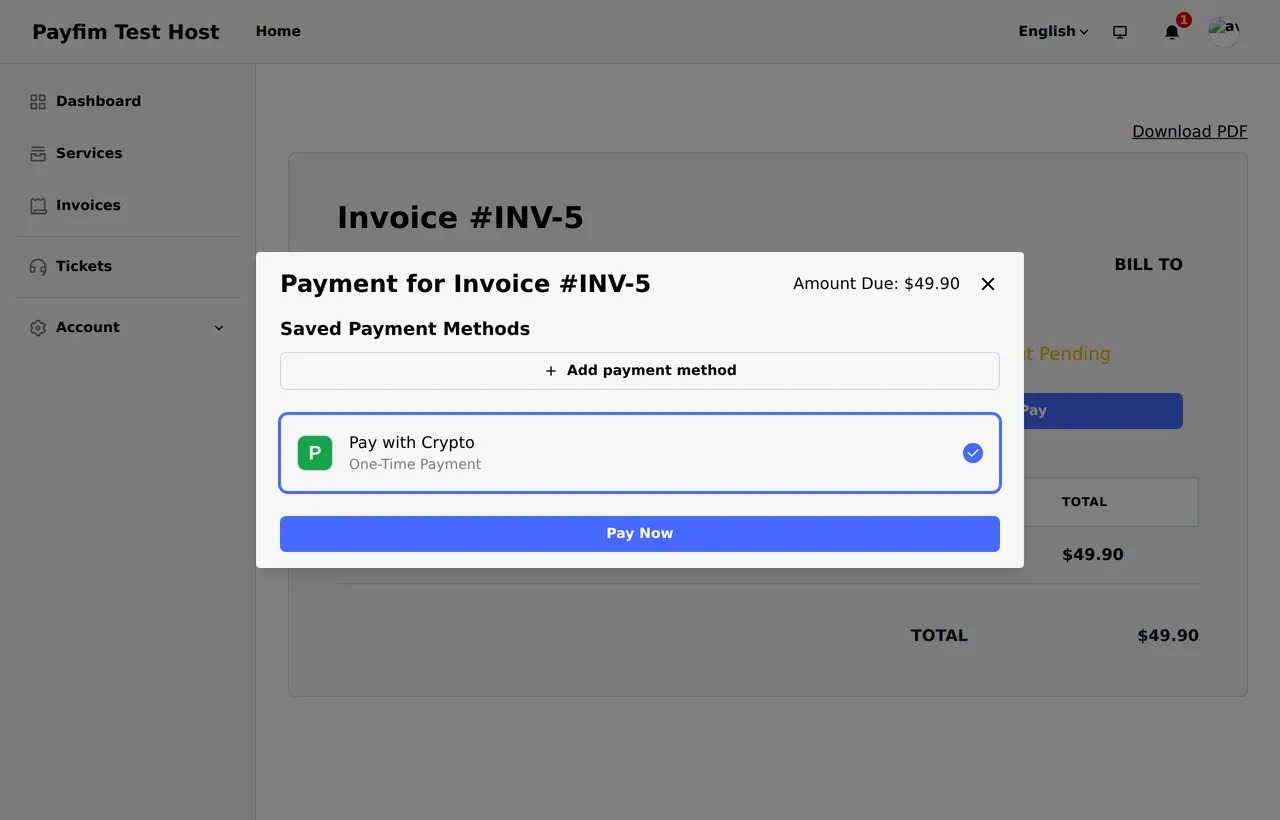
Payment method selection - Automatic payment confirmation.
Payfim sends a signed webhook to
/extensions/gateways/payfim/webhook. The extension verifies it, re-checks the invoice with your gateway and adds a Succeeded transaction whose ID is the blockchain transaction hash - the invoice becomes Paid. Payments still confirming appear as Processing; underpaid ones are logged as a Failed transaction for review and the invoice stays unpaid.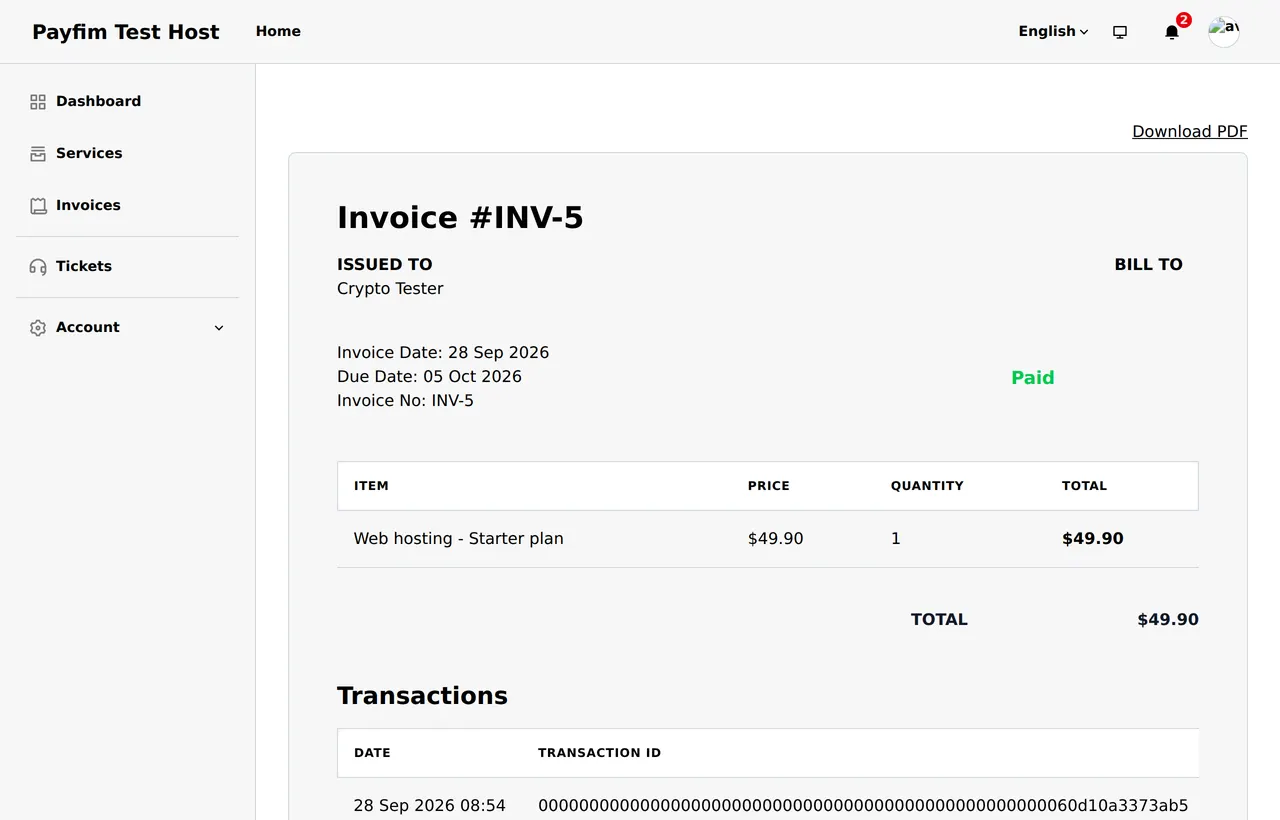
Paid invoice with the transaction hash
Troubleshooting
- "Payfim" is not in the Gateway list
- Check the folder is
extensions/Gateways/Payfim/withPayfim.phpinside, then runphp artisan optimize:clear. - Test connection fails
- Check the URL and that the key starts with
pf_live_; the Paymenter server must reach the gateway. - Webhook never arrives / invoice stays unpaid
- Your billing site must be reachable from the Payfim gateway server over HTTPS. Check Webhooks in the Payfim dashboard for the delivery log and HTTP status; failed deliveries are retried automatically for 24 hours.
Get the Paymenter Crypto Payment Extension - the download includes an illustrated PDF version of this guide.