
The plugin adds a Pay with Crypto payment method to HikaShop. When a customer finishes the checkout, your store creates an invoice on your Payfim Gateway and sends the customer there to pay. The gateway notifies the store with a signed webhook and the order status is updated automatically.
Before you start, install your Payfim Gateway and add your wallets (see Install the gateway and Add wallets). Compatibility: HikaShop 4.3 – 5.x · Joomla 3.10 / 4 / 5 · PHP 7.4 – 8.4.
- Install the plugin.
In the Joomla administrator open System > Install > Extensions (Joomla 3: Extensions > Manage > Install), choose the Upload Package File tab and drop
plg_hikashoppayment_payfim.zipon it. Joomla confirms Installation of the plugin was successful and enables the plugin.
Joomla 5 extension installer after uploading the plugin. - Create the payment method.
Go to Components > HikaShop > System > Payment methods, click New and choose Hikashop Payfim Crypto Payments Plugin from the list of payment plugins. The name Pay with Crypto and the description are pre-filled - change them if you like and set Published to Yes.
- Connect your gateway.
In Specific configuration enter your Gateway URL (e.g.
https://pay.yourstore.com) and your API key from the gateway admin (Integrations, starts withpf_live_). Click Test connection - you should see Connected to … with your enabled coins. Check the statuses (defaults: awaiting payment created, paid confirmed, expired cancelled) and click Save & Close.
Payfim payment method settings with a successful connection test (HikaShop 4.3 admin). Tip: The API key field is write-only: after saving it stays empty and shows Saved - leave empty to keep the current key. Only type into it to replace the key.
- Checkout.
Customers now see Pay with Crypto in the checkout. After Finish they are sent to your gateway, pick a coin and pay. When they come back, the store re-checks the invoice with the gateway and shows HikaShop's thank-you page; the order itself is confirmed by the signed webhook.
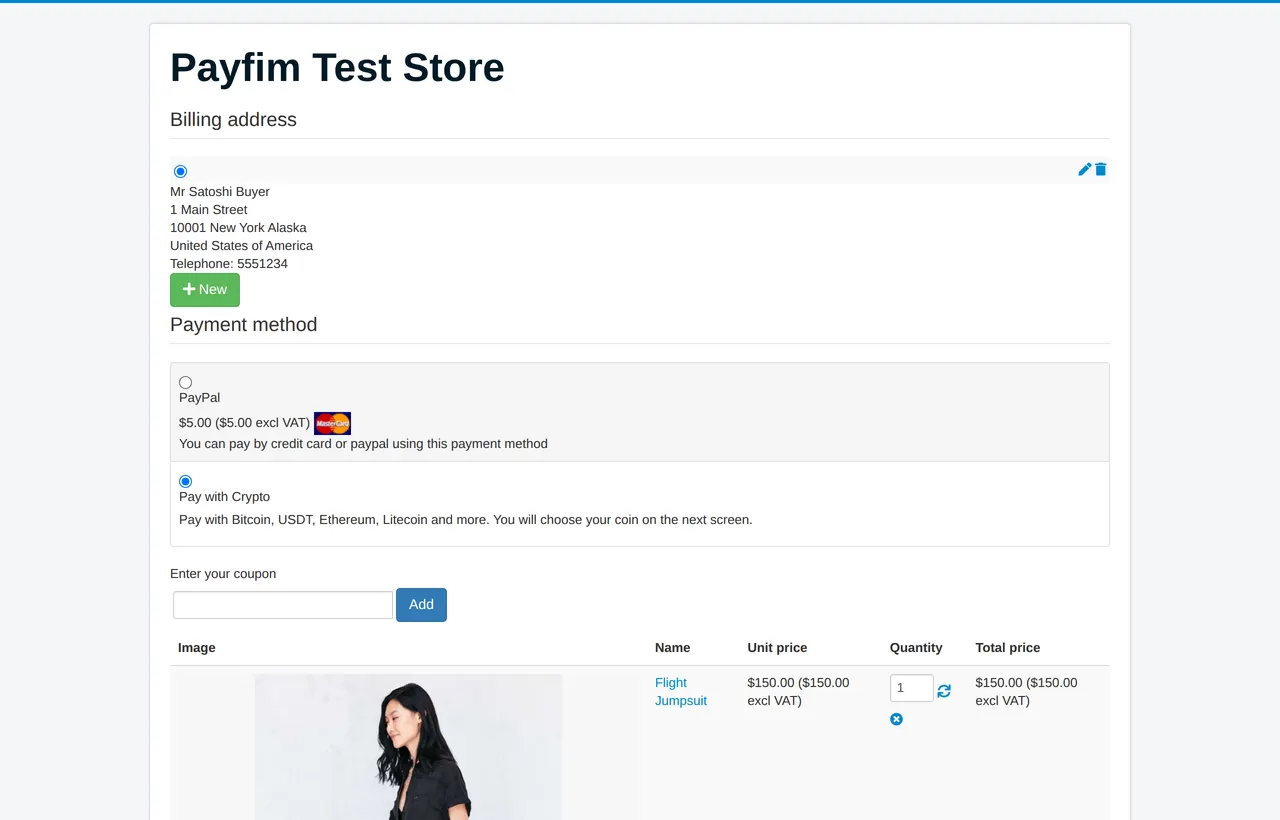
Payment method selection in the HikaShop checkout. - Paid orders.
When the payment is confirmed the order moves to confirmed (the customer receives HikaShop's status e-mail) and the order History shows the coin, the amount received and the transaction hash. Underpaid invoices are never marked paid - the history gets Only X of Y COIN received so you can contact the customer.
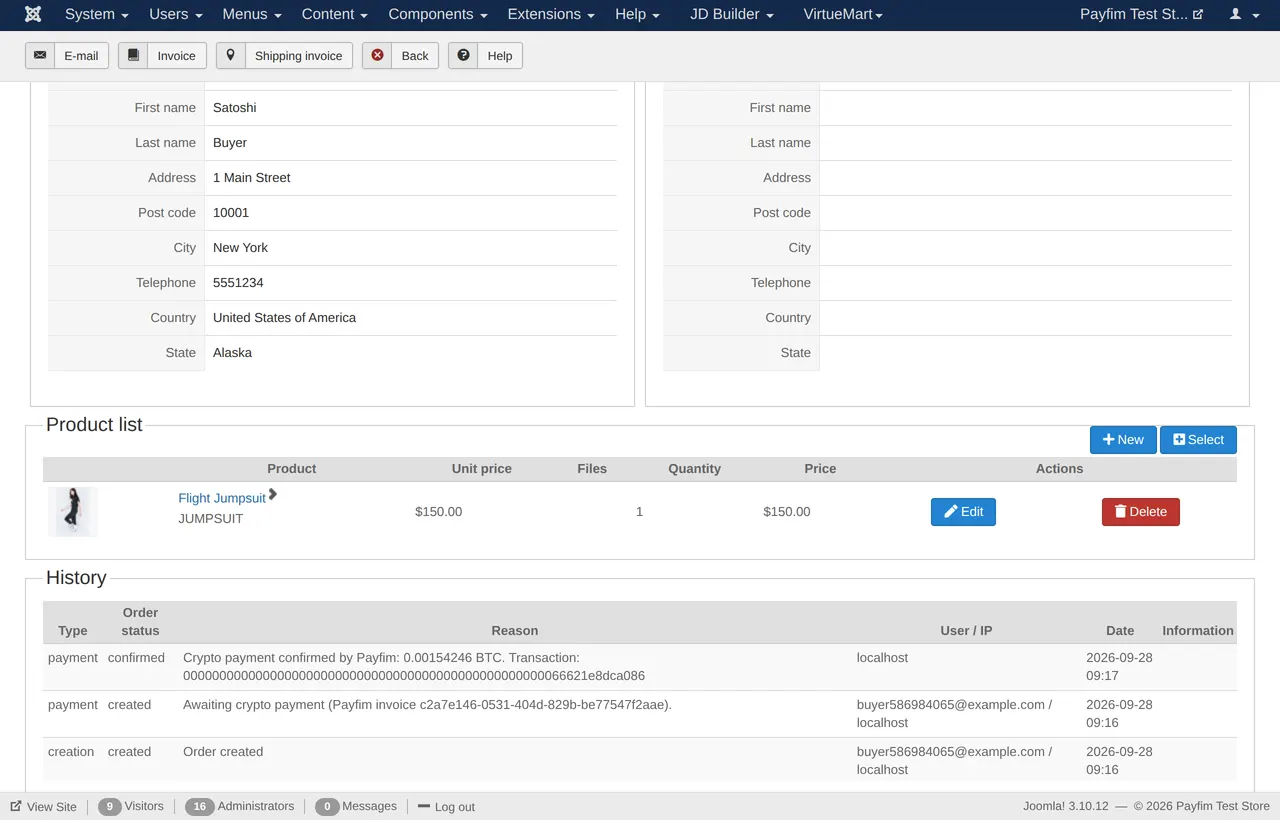
Order history after a confirmed crypto payment.
Troubleshooting
- "Crypto payment is temporarily unavailable" at checkout
- The store could not create the invoice. Open the payment method, click Test connection and check
administrator/logs/payfim-hikashop.phpfor the exact gateway error (wrong URL, wrong API key, TLS problem). - Order stays created after paying
- The gateway could not reach the store's webhook. In the gateway admin open the invoice and check the webhook log. The URL looks like
https://yourstore.com/index.php?option=com_hikashop&ctrl=checkout&task=notify¬if_payment=payfim&tmpl=component&payment_id=…and must be reachable from the gateway server. - Webhook log shows HTTP 401
- The API key saved in HikaShop differs from the gateway's key, or the server clock is more than 5 minutes off. Re-enter the key and enable NTP time sync.
- Pay with Crypto is not shown at checkout
- Check that the method is Published and that its Restrictions (zone, currency, price range) match the cart.
Get the HikaShop Crypto Payment Plugin - the download includes an illustrated PDF version of this guide.