
The Payfim plugin adds a Pay with Crypto gateway to your Easy Digital Downloads checkout. EDD creates a Pending order, the customer pays on your own Payfim Gateway, and the order is Completed by itself - receipt e-mail and download links included - as soon as the payment is confirmed on the blockchain.
Before you start, install your Payfim Gateway and add your wallets (see Install the gateway and Add wallets). Compatibility: Easy Digital Downloads 3.x · WordPress 6.0+ · PHP 7.4 – 8.4.
- Upload the plugin.
In WordPress open Plugins > Add New Plugin and click Upload Plugin. Choose
payfim-edd.zip, click Install Now and then Activate Plugin. Easy Digital Downloads 3.0 or newer must be active.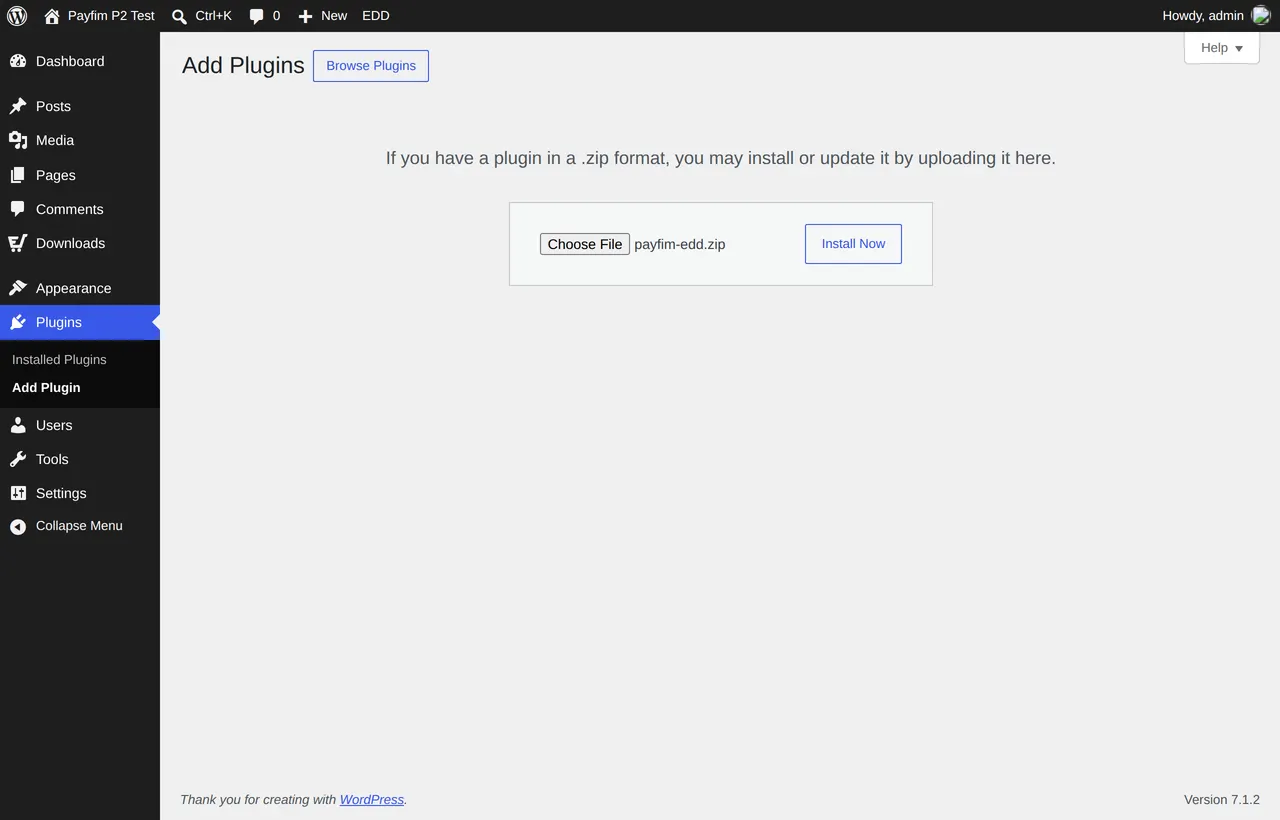
Plugins > Add New Plugin > Upload Plugin - Connect it to your gateway.
Go to Downloads > Settings > Payments and open the Payfim Crypto tab. Enter your Gateway URL (for example
https://pay.yourstore.com) and the API key from your gateway admin (Integrations), click Save Changes, then Test connection. A green message lists the coins your gateway accepts. Title and description are what customers see at checkout.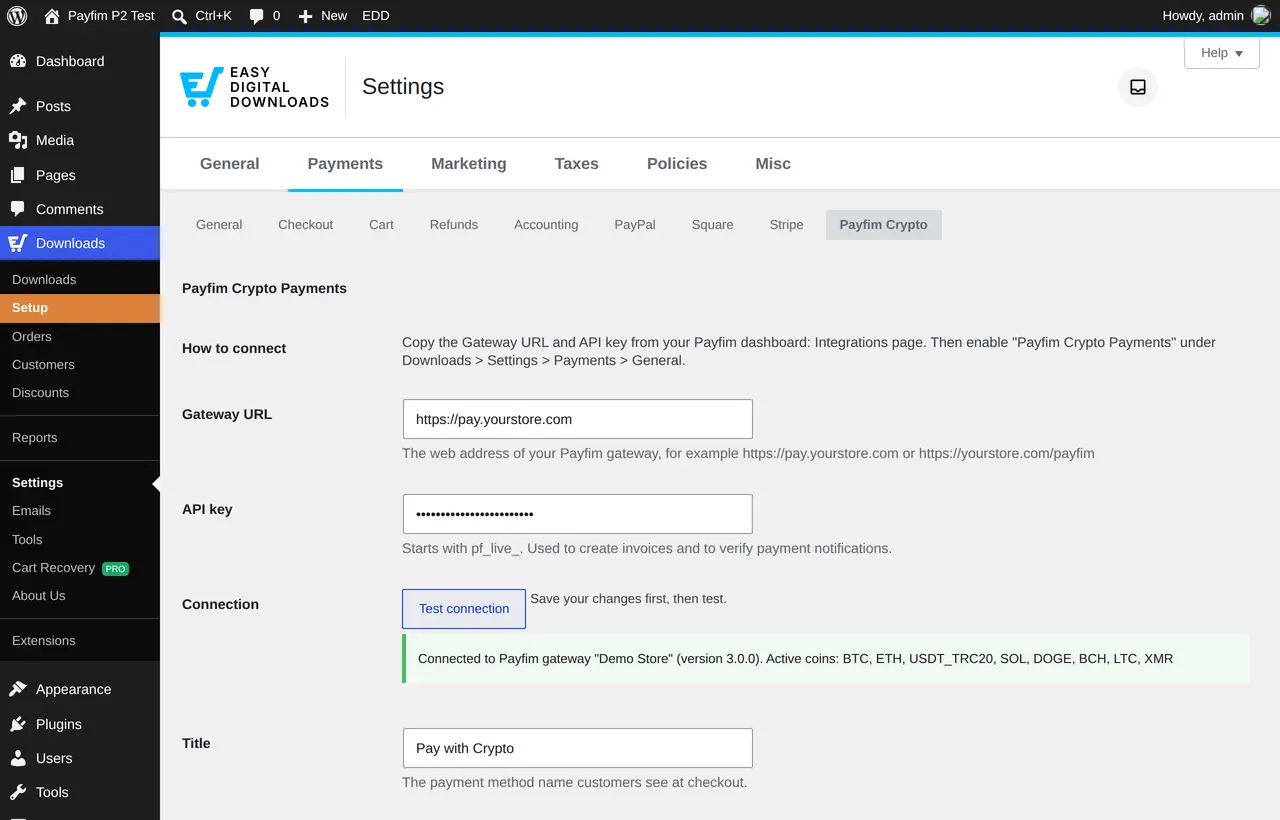
Downloads > Settings > Payments > Payfim Crypto with a successful connection test Tip: The API key signs every payment notification. Treat it like a password; if you change it in the gateway, paste the new one here.
- Enable the gateway.
Open the General tab of Downloads > Settings > Payments. Switch on Payfim Crypto Payments under Active Gateways, optionally choose it as the Default Gateway, and click Save Changes. Webhooks need no setup - each invoice tells your gateway where to send them.
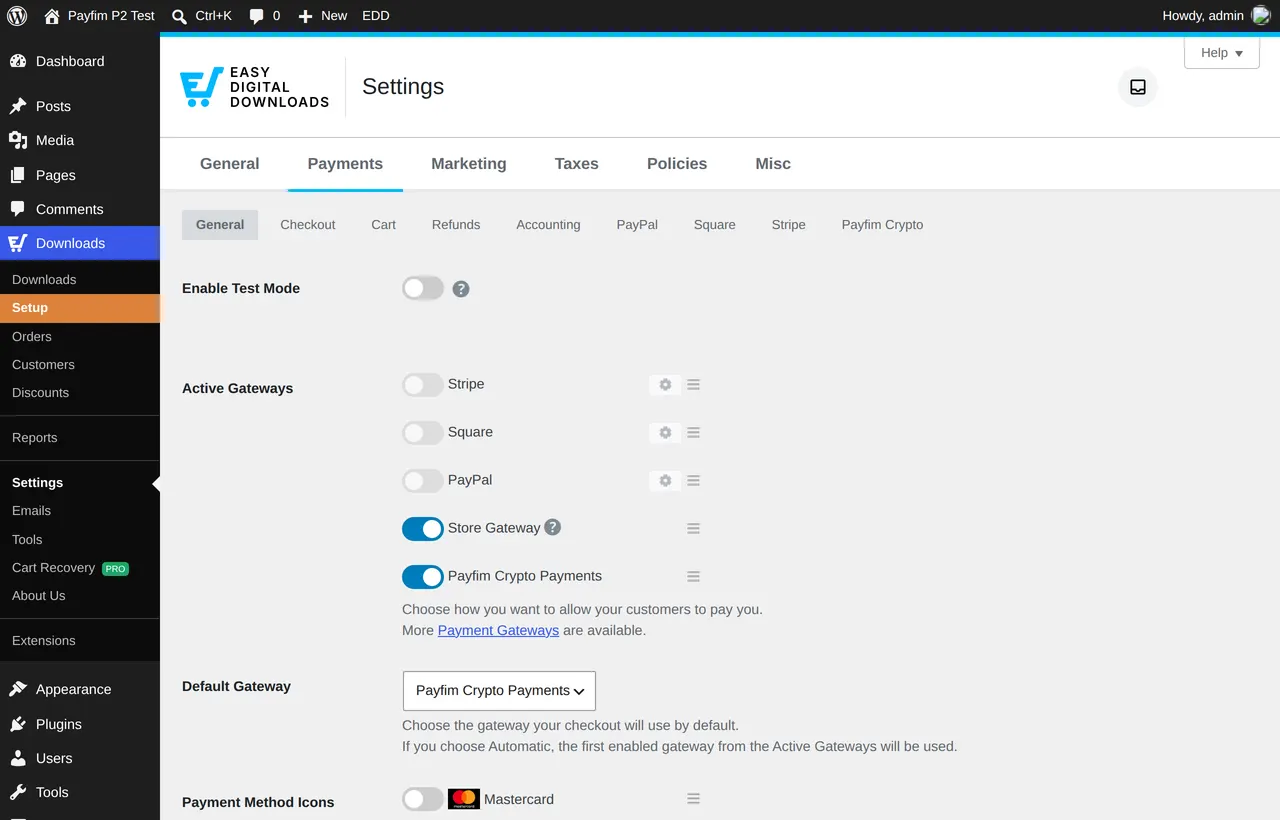
Active Gateways with Payfim Crypto Payments switched on - Check the checkout.
Your customers now see Pay with Crypto on the checkout page (block checkout and the
[download_checkout]shortcode). After clicking Purchase they are sent to your gateway to choose a coin and pay.
The EDD checkout with Pay with Crypto selected - After payment.
When the payment is confirmed the order switches to Completed: EDD e-mails the receipt and unlocks the downloads. The order screen shows the blockchain transaction hash as Transaction ID, and the Notes tab records the invoice, coin and amount received. While the network confirms, the order is Processing.
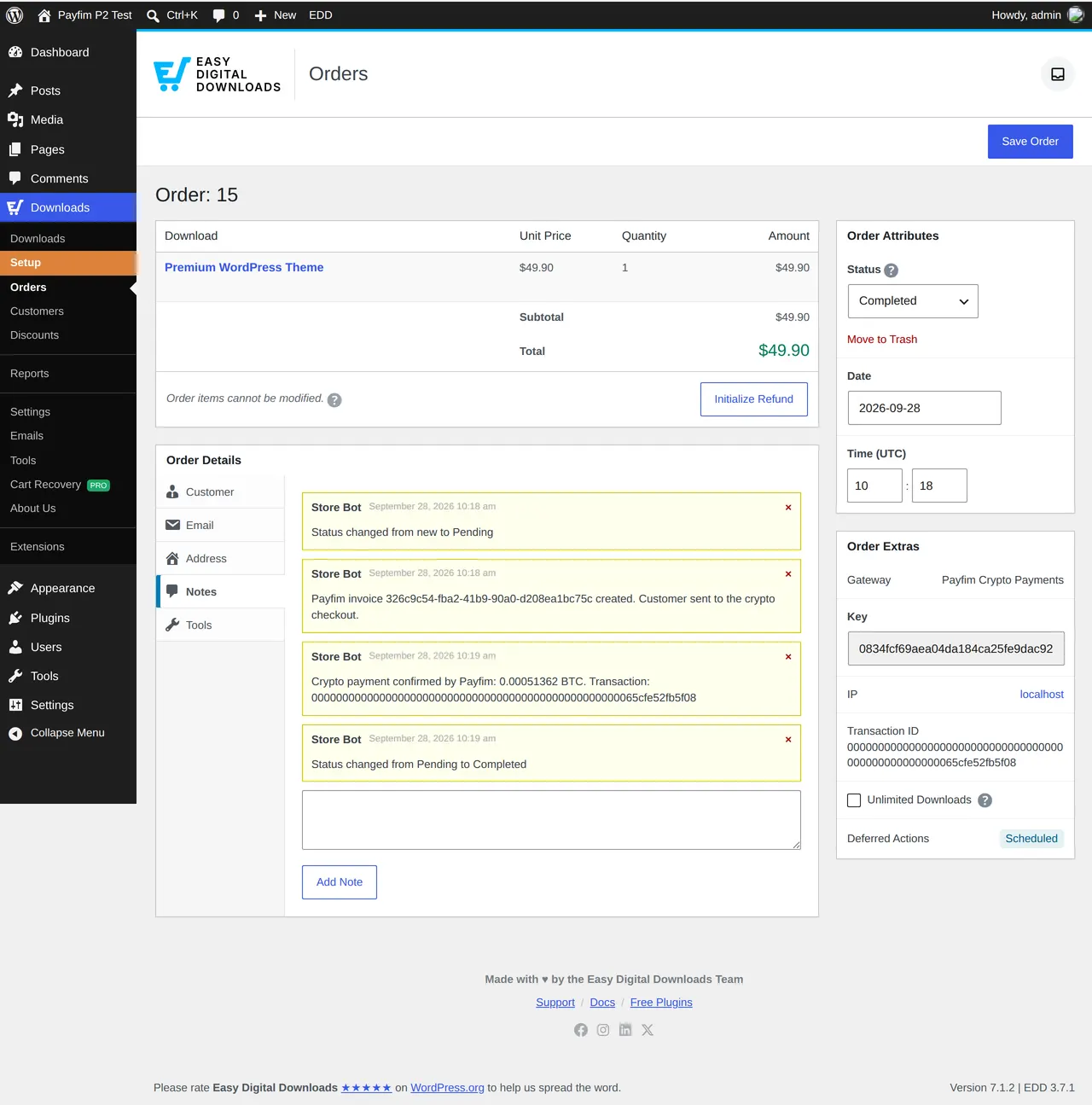
Downloads > Orders > order details: Completed, transaction ID and Payfim notes Tip: Underpaid orders go On Hold with a note ("only X of Y BTC received") and are never completed automatically. Quotes that expire unpaid mark the order Abandoned; the customer can simply check out again.
Troubleshooting
- Pay with Crypto is missing at checkout
- Make sure Payfim Crypto Payments is switched on under Downloads > Settings > Payments > General and that the Gateway URL and API key are saved - the gateway is hidden until both are filled in.
- "Crypto payment is temporarily unavailable" after Purchase
- The store could not reach the gateway. Click Test connection; check the Gateway URL, the API key and that your host allows outgoing HTTPS. Details are in Downloads > Tools > Debug Log.
- Order stays Pending after paying
- The gateway could not deliver the webhook to
/wp-json/payfim-edd/v1/webhook. Open the invoice in the gateway admin and check the webhook log; security plugins or a firewall must allow POST requests to the WordPress REST API. - Need details
- Tick Debug log in the Payfim Crypto settings; entries start with
[Payfim]in Downloads > Tools > Debug Log.
Get the Easy Digital Downloads Crypto Payment Gateway - the download includes an illustrated PDF version of this guide.